Введение
If your OnePlus 12 back glass is damaged or scratched, or you need to access the internal components of your phone, follow this simple guide to remove the back glass.
Before you begin, make sure that your phone is powered off and unplugged from the charger.
Выберете то, что вам нужно
-
-
-
Ensure the phone is powered off and placed with the back glass facing towards you on a stable surface.
 Спросите у FixBot
-
-
-
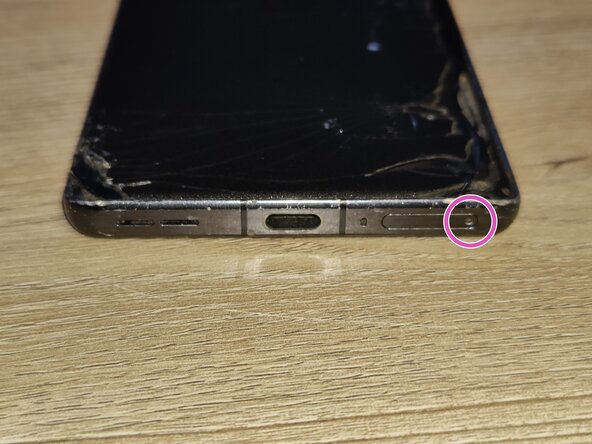
Pop open the SIM card tray by inserting a SIM card removal tool into the SIM card tray on the bottom of the phone.
-
Remove the SIM card tray from the phone and set it aside for when we are done.
-
-
-
-
Loosen the glue holding the back glass in place by using a hairdryer or an iOpener.
-
-
Инструмент, используемый на этом этапе:Jimmy$7.95
-
Insert a Jimmy into the seam of the back glass to lift it slightly. Try to reduce pressure on any single spot of the glass to avoid cracking it.
-
Insert a plastic card underneath the small gap created on the back glass and gently glide the card under the lifted glass.
-
Remove the back glass from the phone by working your way around the glass slowly. You may need to re-heat after a while to keep the glue soft. Otherwise, you may shatter the glass.
-
-



To reassemble your device, follow these instructions in reverse order.

