Перейти к основному содержанию
Присоединяйся к сообществу ремонтников - Создай аккаунт

Parrot Skycontroller 2 Buttons Replacement

Выберете то, что вам нужно

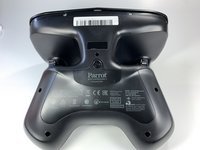
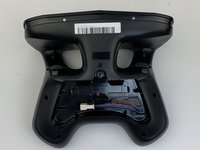
    1. Parrot Skycontroller 2 Buttons Replacement, Battery: шаг 1, изображение 1 из 3 Parrot Skycontroller 2 Buttons Replacement, Battery: шаг 1, изображение 2 из 3 Parrot Skycontroller 2 Buttons Replacement, Battery: шаг 1, изображение 3 из 3
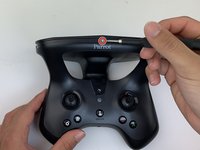
      • Flip your controller face down.

      Спросите у FixBot
      Добавить комментарий

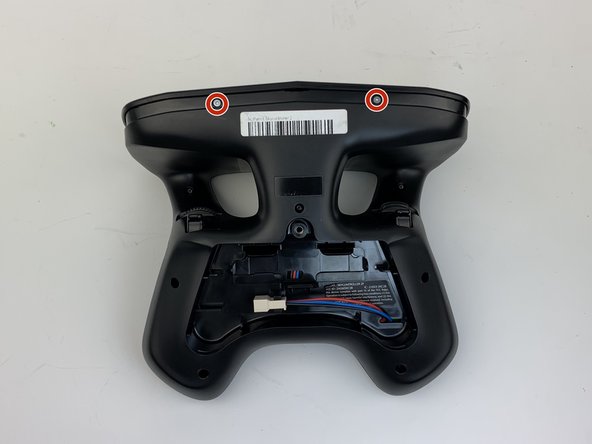
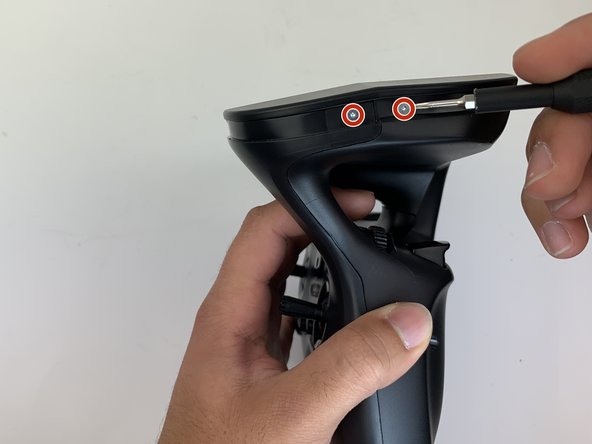
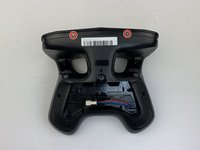
    2. Parrot Skycontroller 2 Buttons Replacement: шаг 2, изображение 1 из 1
      • Remove one 9mm screw using a #4 flathead screwdriver.

      Спросите у FixBot
      Добавить комментарий

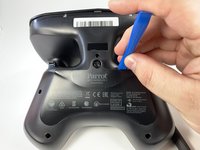
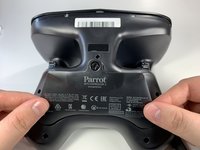
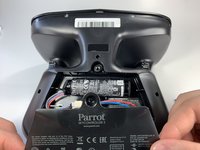
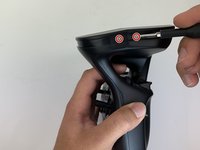
    3. Parrot Skycontroller 2 Buttons Replacement: шаг 3, изображение 1 из 3 Parrot Skycontroller 2 Buttons Replacement: шаг 3, изображение 2 из 3 Parrot Skycontroller 2 Buttons Replacement: шаг 3, изображение 3 из 3
      • Insert the plastic opening tool into the top of the cover and pry upwards to lift the battery cover.

      • Remove the cover by pulling up and out.

      Спросите у FixBot
      Добавить комментарий

    4. Parrot Skycontroller 2 Buttons Replacement: шаг 4, изображение 1 из 3 Parrot Skycontroller 2 Buttons Replacement: шаг 4, изображение 2 из 3 Parrot Skycontroller 2 Buttons Replacement: шаг 4, изображение 3 из 3
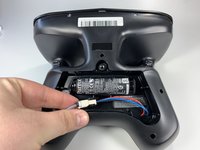
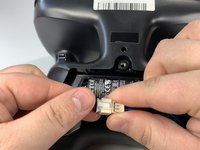
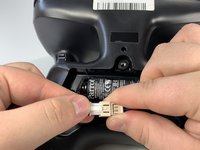
      • Pull the connectors out by gently pushing the tabs and pulling up on the connector.

      • Disconnect the battery from the remote by pressing the white tab and pulling the connectors apart.

      Спросите у FixBot

      Добавить комментарий

    5. Parrot Skycontroller 2 Buttons Replacement: шаг 5, изображение 1 из 2 Parrot Skycontroller 2 Buttons Replacement: шаг 5, изображение 2 из 2
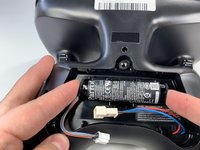
      • Remove the battery from its brackets by pulling up on the ends of the battery.

      Спросите у FixBot

      Добавить комментарий

    1. Parrot Skycontroller 2 Buttons Replacement, Buttons: шаг 6, изображение 1 из 1
      • Remove the seven black 11mm screws using the Torx TR6 screwdriver.

      • There is a hidden screw located behind the sticker in the battery compartment.

      • Pull back the sticker with your finger nail and remove the one black 11mm screw using the Torx TR6 screwdriver.

      Спросите у FixBot

      Добавить комментарий

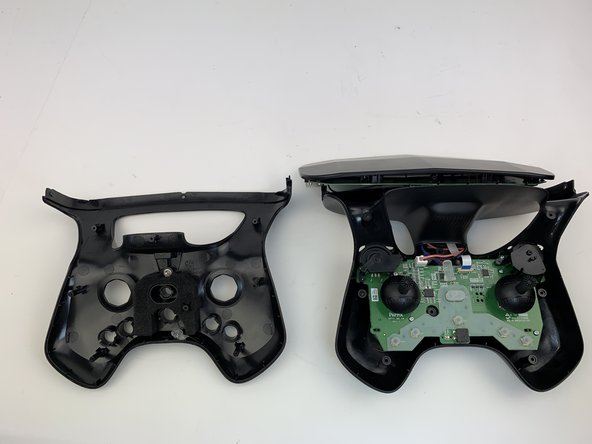
    2. Parrot Skycontroller 2 Buttons Replacement: шаг 7, изображение 1 из 3 Parrot Skycontroller 2 Buttons Replacement: шаг 7, изображение 2 из 3 Parrot Skycontroller 2 Buttons Replacement: шаг 7, изображение 3 из 3
      • Remove the seven silver 4mm screws from around the edge of the top plate using the Torx TR6 Screwdriver.

      • The opposite side to the third picture has a screw located on each side of the USB port.

      Спросите у FixBot
      Добавить комментарий

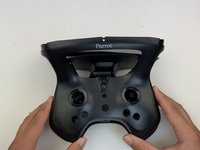
    3. Parrot Skycontroller 2 Buttons Replacement: шаг 8, изображение 1 из 1
      • Remove the battery compartment plate by pulling up and out.

      Спросите у FixBot
      Добавить комментарий

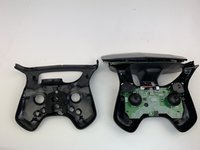
    4. Parrot Skycontroller 2 Buttons Replacement: шаг 9, изображение 1 из 1
      • Remove the top plate by pushing on the corners with your hand.

      • Be careful to not pull too hard on the cable.

      Спросите у FixBot
      Добавить комментарий

    5. Parrot Skycontroller 2 Buttons Replacement: шаг 10, изображение 1 из 2 Parrot Skycontroller 2 Buttons Replacement: шаг 10, изображение 2 из 2
      • Remove the face plate by pulling up and out.

      • Buttons will fall out when this plate is removed.

      Спросите у FixBot

      Добавить комментарий

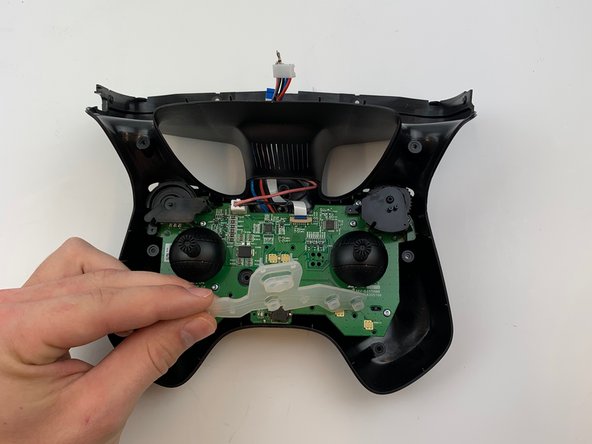
    6. Parrot Skycontroller 2 Buttons Replacement: шаг 11, изображение 1 из 3 Parrot Skycontroller 2 Buttons Replacement: шаг 11, изображение 2 из 3 Parrot Skycontroller 2 Buttons Replacement: шаг 11, изображение 3 из 3
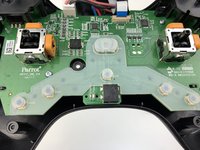
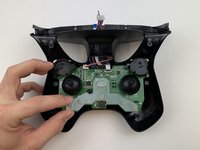
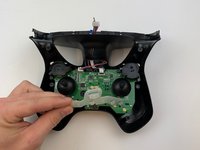
      • Use some force pull up and out on the rubber backing for the buttons.

      Спросите у FixBot

      Добавить комментарий

Заключение

To reassemble your device, follow these instructions in reverse order.

Отменить: Я не выполнил это руководство.

Samuel Lama

Участник с: 01/26/20

136 Репутация

1 руководство автора

Команда

0 Комментарии к руководству

Добавить комментарий

Статистика просмотров:

За последние 24 часов: 1

За последние 7 дней: 6

За последние 30 дней: 24

За всё время: 646