Перейти к основному содержанию
Присоединяйся к сообществу ремонтников - Создай аккаунт

RCA RCT6272W23 Rear Camera Replacement

Выберете то, что вам нужно

    1. RCA RCT6272W23 Rear Camera Replacement, Case: шаг 1, изображение 1 из 2 RCA RCT6272W23 Rear Camera Replacement, Case: шаг 1, изображение 2 из 2
      • Use a Phillips #00 screwdriver to remove both 4.1 mm screws at the top of the device which hold it together.

      Спросите у FixBot

      Добавить комментарий

    2. RCA RCT6272W23 Rear Camera Replacement: шаг 2, изображение 1 из 2 RCA RCT6272W23 Rear Camera Replacement: шаг 2, изображение 2 из 2
      • Press the plastic opening tool into the space between the front and back portions of the case.

      • Run it along the perimeter of the device to unhook the plastic tabs.

      • Gently pull both sides apart.

      • The speaker is connected to the back cover, so be careful when separating.

      Спросите у FixBot

      Добавить комментарий

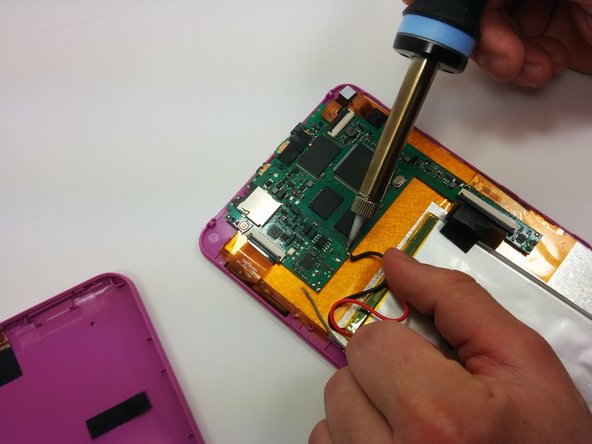
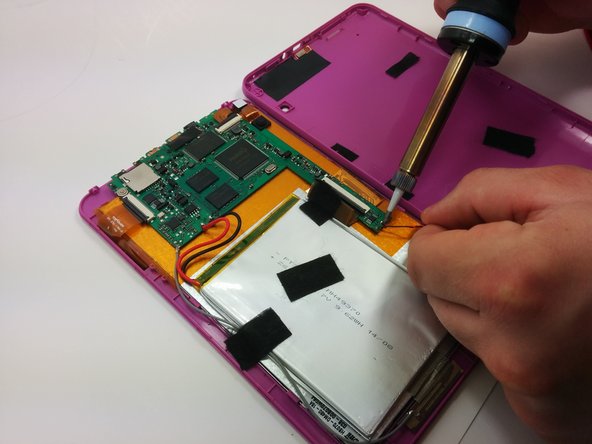
    1. RCA RCT6272W23 Rear Camera Replacement, Motherboard: шаг 3, изображение 1 из 3 RCA RCT6272W23 Rear Camera Replacement, Motherboard: шаг 3, изображение 2 из 3 RCA RCT6272W23 Rear Camera Replacement, Motherboard: шаг 3, изображение 3 из 3
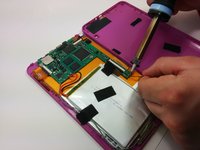
      • Use a soldering iron to remove the soldered connections on the motherboard

      • For your safety and to ensure a correct repair, be sure to exercise caution when using the soldering iron.

      • For more information about soldering, check out this guide.

      Спросите у FixBot

      Добавить комментарий

    2. RCA RCT6272W23 Rear Camera Replacement: шаг 4, изображение 1 из 1
      • Use a philips #00 screwdriver to unscrew the three 4.064mm screws which attach the motherboard to the front of the device.

      Спросите у FixBot

      Добавить комментарий

    3. RCA RCT6272W23 Rear Camera Replacement: шаг 5, изображение 1 из 2 RCA RCT6272W23 Rear Camera Replacement: шаг 5, изображение 2 из 2
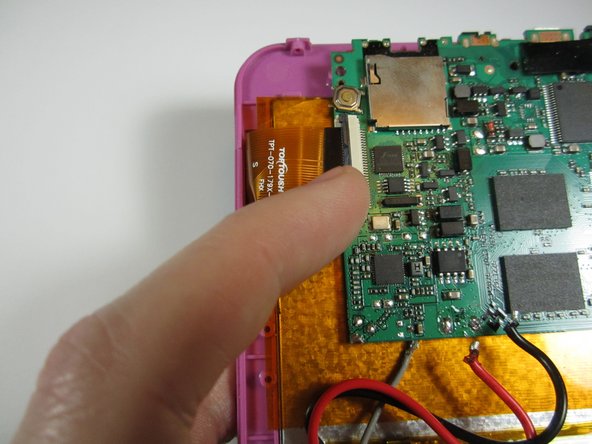
      • Use your fingers to pop the three black tabs up to release the flat plastic data transfer cables.

      Спросите у FixBot

      Добавить комментарий

    4. RCA RCT6272W23 Rear Camera Replacement: шаг 6, изображение 1 из 1
      • Pull up the motherboard from the rest of the body.

      Спросите у FixBot

      Добавить комментарий

    1. RCA RCT6272W23 Rear Camera Replacement, Rear Camera: шаг 7, изображение 1 из 1
      • Using a spudger, gently pry off the camera from the back of the display

      Спросите у FixBot

      Добавить комментарий

Заключение

To reassemble your device, follow these instructions in reverse order.

Отменить: Я не выполнил это руководство.

Stephen Radachy

Участник с: 03/17/15

819 Репутация

Автор 5 руководств

Команда

Michigan Tech, Team 1-5, Lauer Spring 2015 Участник Michigan Tech, Team 1-5, Lauer Spring 2015

MTU-LAUER-S15S1G5

2 членов

Автор 12 руководств

0 Комментарии к руководству

Добавить комментарий

Статистика просмотров:

За последние 24 часов: 0

За последние 7 дней: 10

За последние 30 дней: 36

За всё время: 649