Перейти к основному содержанию
Присоединяйся к сообществу ремонтников - Создай аккаунт

Retro-Bit Retro Duo Reset Button/Power Switch Replacement

Выберете то, что вам нужно

  1. Retro-Bit Retro Duo Reset Button/Power Switch Replacement, Reset Button/Power Switch: шаг 1, изображение 1 из 3 Retro-Bit Retro Duo Reset Button/Power Switch Replacement, Reset Button/Power Switch: шаг 1, изображение 2 из 3 Retro-Bit Retro Duo Reset Button/Power Switch Replacement, Reset Button/Power Switch: шаг 1, изображение 3 из 3
    • With the console on its top. Remove the four 12 mm Phillips #2 screws.

    • There may be a sticker covering one, or more, of the screws. Simply remove the it before the screws.

    • Flip the console on its feet and carefully lift the top casing from the back (where the AV/S and power ports are).

    • To avoid damage, do not completely remove the top case. There is a small circuit board--which houses two LEDs-- connected to the main circuit board.

    Спросите у FixBot
  2. Retro-Bit Retro Duo Reset Button/Power Switch Replacement: шаг 2, изображение 1 из 3 Retro-Bit Retro Duo Reset Button/Power Switch Replacement: шаг 2, изображение 2 из 3 Retro-Bit Retro Duo Reset Button/Power Switch Replacement: шаг 2, изображение 3 из 3
    • Remove the one 6 mm Phillips #0 screw.

    • Lift the top case.

    • This step allows easy button access and prevents accidental damage.

    Спросите у FixBot
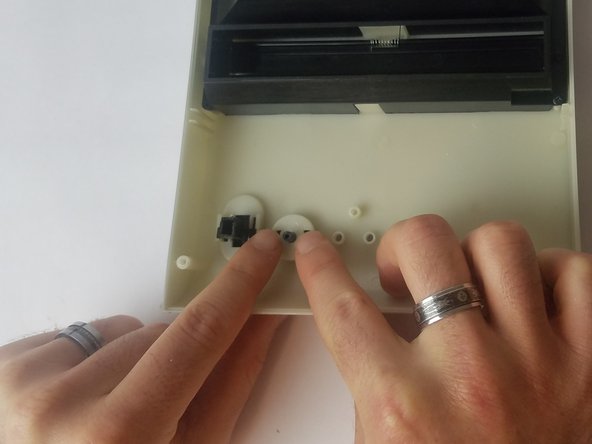
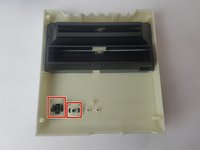
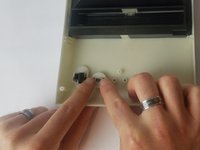
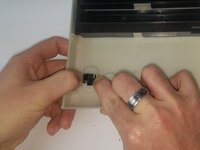
  3. Retro-Bit Retro Duo Reset Button/Power Switch Replacement: шаг 3, изображение 1 из 3 Retro-Bit Retro Duo Reset Button/Power Switch Replacement: шаг 3, изображение 2 из 3 Retro-Bit Retro Duo Reset Button/Power Switch Replacement: шаг 3, изображение 3 из 3
    Инструмент, используемый на этом этапе:
    Tweezers
    $4.99
    • Using your fingers (or precision tweezers), carefully pinch the button tabs and push through to the other side.

    • Make sure you pinch both tabs simultaneously, or the button will not pop out.

    Спросите у FixBot
Заключение

To reassemble your device, follow these instructions in reverse order.

If the problem persists after the buttons are replaced, it may be a circuit board issue. If so, please visit our guide for circuit board replacement at Retro-Bit Retro Duo Circuit Board Replacement

Truong Vo

Участник с: 09/25/17

324 Репутация

Автор 3 руководств

Команда

USF Tampa, Team S4-G4, Eyestone Fall 2017 Участник USF Tampa, Team S4-G4, Eyestone Fall 2017

USFT-EYESTONE-F17S4G4

3 членов

Автор 10 руководств

0 Комментарии к руководству

Добавить комментарий

Статистика просмотров:

За последние 24 часов: 1

За последние 7 дней: 17

За последние 30 дней: 92

За всё время: 1,173