Перейти к основному содержанию
Присоединяйся к сообществу ремонтников - Создай аккаунт

Samsung RC512 Screen Replacement

Выберете то, что вам нужно

  1. Samsung RC512 Screen Replacement, Battery: шаг 1, изображение 1 из 1
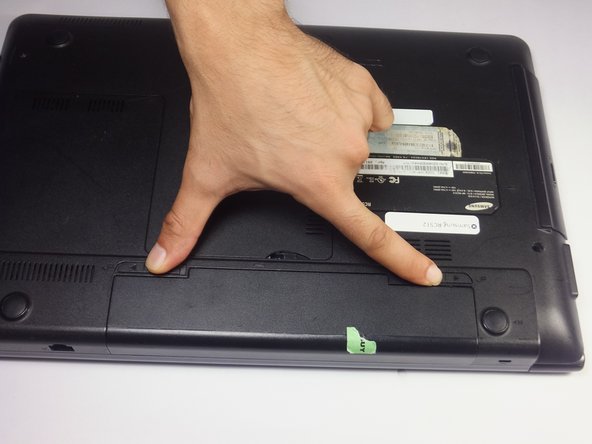
    • Place the laptop upside down.

    Спросите у FixBot

    Добавить комментарий

  2. Samsung RC512 Screen Replacement: шаг 2, изображение 1 из 2 Samsung RC512 Screen Replacement: шаг 2, изображение 2 из 2
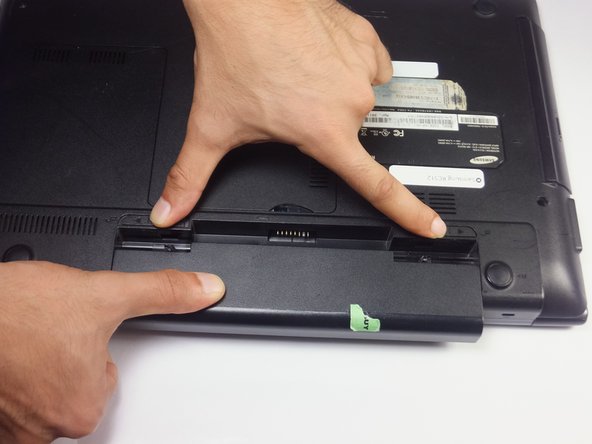
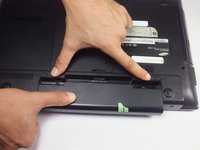
    • Locate two notches above the battery.

    • Slide both battery locking notches to either side to remove the battery.

    • Pull the battery out.

    Спросите у FixBot
    Добавить комментарий

  3. Samsung RC512 Screen Replacement, Screen: шаг 3, изображение 1 из 3 Samsung RC512 Screen Replacement, Screen: шаг 3, изображение 2 из 3 Samsung RC512 Screen Replacement, Screen: шаг 3, изображение 3 из 3
    • The Laptop should be off before removing the battery.

    • Slide both battery locking notches to either side to remove the battery.

    • Pull the battery out.

    Спросите у FixBot
    Добавить комментарий

  4. Samsung RC512 Screen Replacement: шаг 4, изображение 1 из 3 Samsung RC512 Screen Replacement: шаг 4, изображение 2 из 3 Samsung RC512 Screen Replacement: шаг 4, изображение 3 из 3
    Инструмент, используемый на этом этапе:
    Tweezers
    $4.99
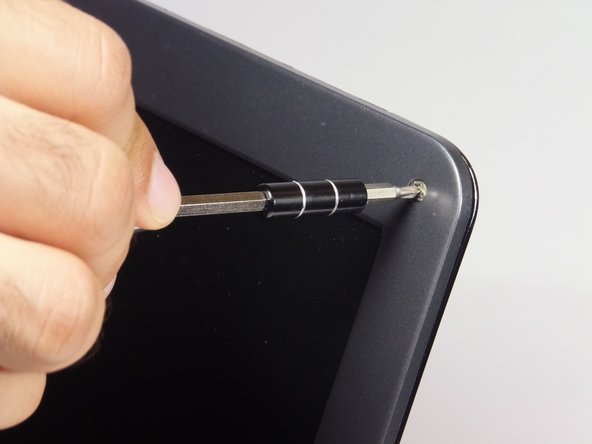
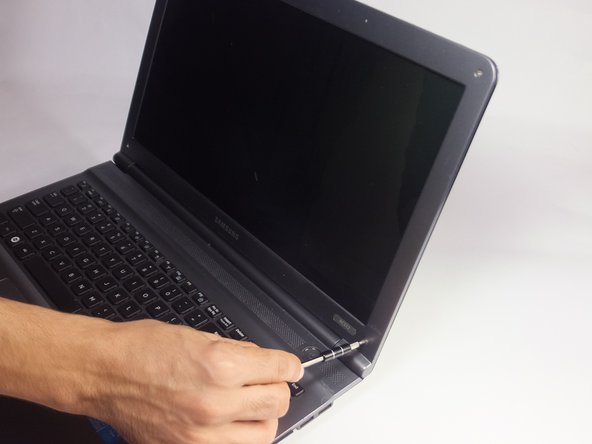
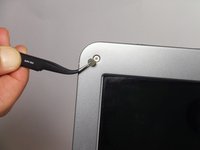
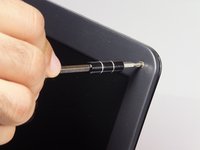
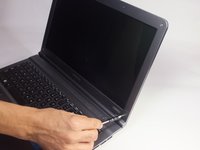
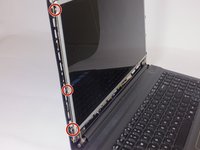
    • Remove the gray covers with tweezers to expose the 4mm screws.

    • Using a Phillips #0 screwdriver, remove the four 4 mm Phillips #0 screws.

    Спросите у FixBot
    Добавить комментарий

  5. Samsung RC512 Screen Replacement: шаг 5, изображение 1 из 2 Samsung RC512 Screen Replacement: шаг 5, изображение 2 из 2
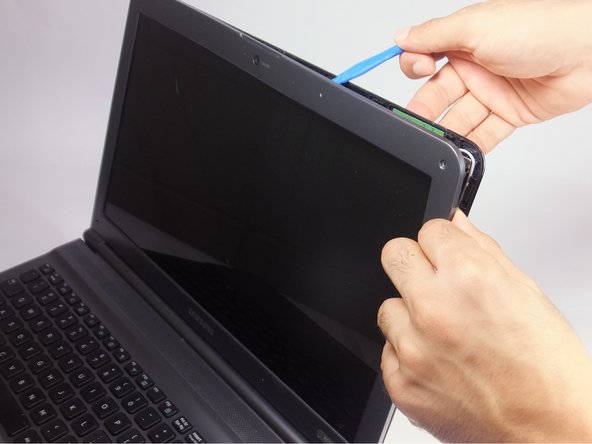
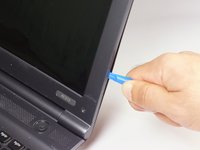
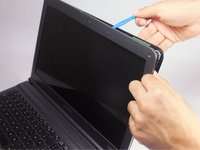
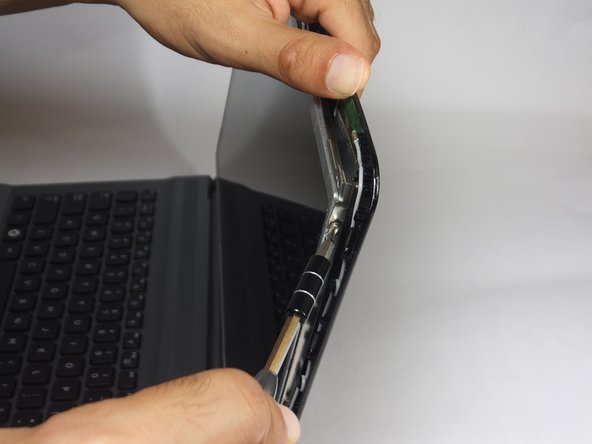
    • Insert the blue plastic opening tool into the bezel and rear housing of the screen.

    • Use the plastic opening tool to pop open the claps that hold the casing on the screen.

    • Work your way around the sides carefully and continue this to the bottom.

    • You may use your fingers to help remove the cover.

    Спросите у FixBot

    Добавить комментарий

  6. Samsung RC512 Screen Replacement: шаг 6, изображение 1 из 2 Samsung RC512 Screen Replacement: шаг 6, изображение 2 из 2
    • With the Phillips #0 screwdriver remove the six 3 mm screws, which mount the screen onto the base of the laptop.

    • As you remove the last two screws, support the screen. As the screws are taken out, the screen will begin to fall forward.

    Спросите у FixBot

    Добавить комментарий

  7. Samsung RC512 Screen Replacement: шаг 7, изображение 1 из 3 Samsung RC512 Screen Replacement: шаг 7, изображение 2 из 3 Samsung RC512 Screen Replacement: шаг 7, изображение 3 из 3
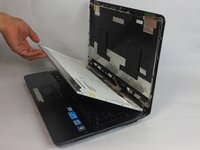
    • Gently lay the LCD onto the keyboard.

    • Do not separate the LCD screen and the back panel from each other. The video connector still connects the two together.

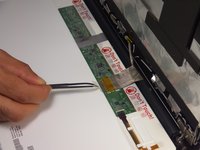
    • Remove the tape that secures the video connector to the LCD screen with tweezers.

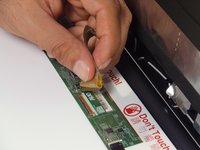
    • Grasp the video connector at its base and pull it away from the LCD screen.

    • The only thing holding the screen will be the clear tape causing it to come out easily.

    Спросите у FixBot

    Добавить комментарий

Заключение

To reassemble your device, follow these instructions in reverse order.

Отменить: Я не выполнил это руководство.

Еще один человек закончил это руководство.

jando

Участник с: 09/15/16

917 Репутация

Автор 8 руководств

Команда

USF Tampa, Team 18-2, Blackwell Fall 2016 Участник USF Tampa, Team 18-2, Blackwell Fall 2016

USFT-BLACKWELL-F16S18G2

4 членов

Автор 8 руководств

0 Комментарии к руководству

Добавить комментарий

Статистика просмотров:

За последние 24 часов: 0

За последние 7 дней: 6

За последние 30 дней: 32

За всё время: 1,037