Перейти к основному содержанию
Присоединяйся к сообществу ремонтников - Создай аккаунт

ThinkPad T420 Keyboard reinstallation Replacement

Абсолютно необходимое руководство
Это руководство только для предварительной подготовки! Этот гайд является частью другой процедуры и не предназначен для самостоятельного использования.
  1. ThinkPad T420 Keyboard reinstallation Replacement, Keyboard reinstallation: шаг 1, изображение 1 из 3 ThinkPad T420 Keyboard reinstallation Replacement, Keyboard reinstallation: шаг 1, изображение 2 из 3 ThinkPad T420 Keyboard reinstallation Replacement, Keyboard reinstallation: шаг 1, изображение 3 из 3
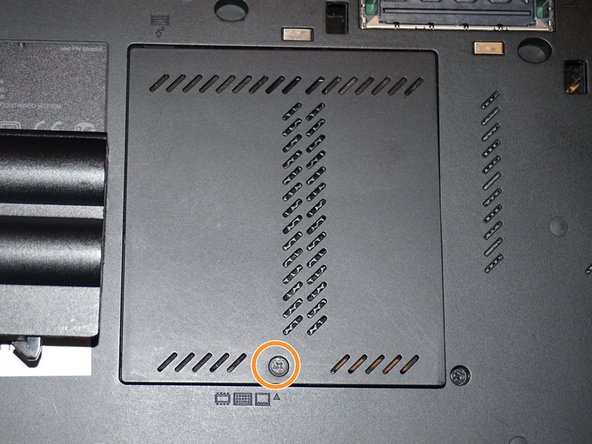
    • If you are upgrading the RAM this will be done last. Once both modules are installed, perform this step without reinstalling the screw, then reinstall the screw once the module is accepted and working.

    • Reconnect the keyboard to the motherboard. Once connected, slide the top (volume controls) in first.

    • Once the top of the keyboard is pushed in, slide the keyboard down to re-engage the lower clips until they are not visible.

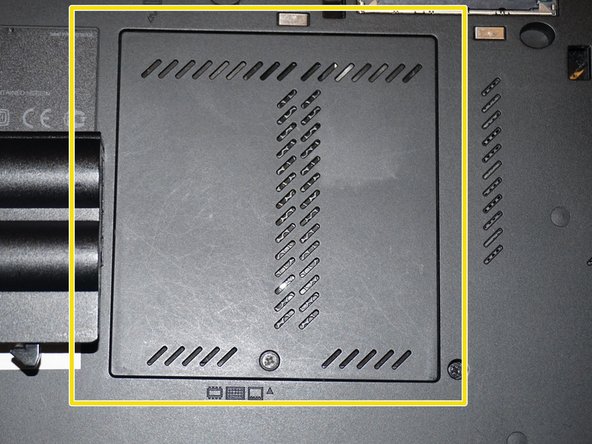
    • Replace the silver screw and RAM door.

  2. ThinkPad T420 Keyboard reinstallation Replacement, Reinstall the keyboard screw: шаг 2, изображение 1 из 3 ThinkPad T420 Keyboard reinstallation Replacement, Reinstall the keyboard screw: шаг 2, изображение 2 из 3 ThinkPad T420 Keyboard reinstallation Replacement, Reinstall the keyboard screw: шаг 2, изображение 3 из 3
    • Reinstall the keyboard screw.

    • Reinstall the RAM door.

    • When the cover is properly reinstalled, it will be flush with the laptop.

Заключение

To reassemble your device, follow these instructions in reverse order.

Nick

Участник с: 11/10/09

100 218 Репутация

Автор 64 руководств

Команда

Master Techs Участник Master Techs

Community

332 членов

Автор 1 473 руководств

0 Комментарии к руководству

Добавить комментарий

Статистика просмотров:

За последние 24 часов: 1

За последние 7 дней: 6

За последние 30 дней: 16

За всё время: 201