Перейти к основному содержанию
Присоединяйся к сообществу ремонтников - Создай аккаунт

VTech Little Apps Tablet Speaker Replacement

Выберете то, что вам нужно

  1. VTech Little Apps Tablet Speaker Replacement, Battery: шаг 1, изображение 1 из 1
    • Remove the 9.9 mm screw covering the batteries with a PH1 driver head.

    Спросите у FixBot

    Добавить комментарий

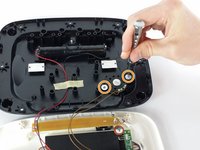
  2. VTech Little Apps Tablet Speaker Replacement: шаг 2, изображение 1 из 1
    • Use a plastic opening tool to pry the batteries out of their holding.

    • If replacing your batteries with new ones, be careful to insert them as indicated on the device.

    Спросите у FixBot

    Добавить комментарий

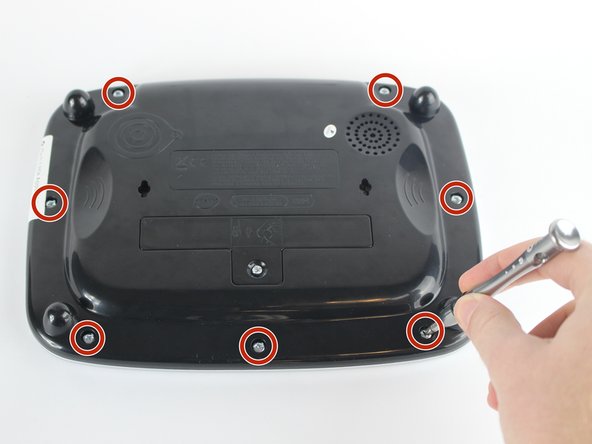
  3. VTech Little Apps Tablet Speaker Replacement, Back Cover: шаг 3, изображение 1 из 2 VTech Little Apps Tablet Speaker Replacement, Back Cover: шаг 3, изображение 2 из 2
    • Position the VTech Little Apps Tablet face-down on a flat surface so that you can clearly see the back of the device.

    • Remove all seven 9.6 mm screws located around the perimeter of the back cover with a PH1 driver head.

    Спросите у FixBot

    Добавить комментарий

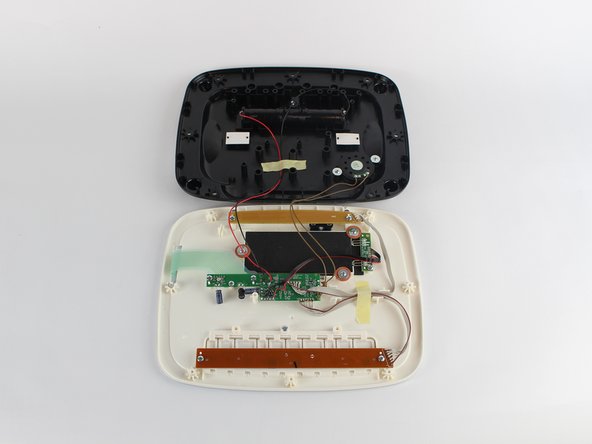
  4. VTech Little Apps Tablet Speaker Replacement: шаг 4, изображение 1 из 2 VTech Little Apps Tablet Speaker Replacement: шаг 4, изображение 2 из 2
    • Gently remove the back cover then flip it 180 degrees so that the back cover of the device is now face-down.

    • Proceed with caution as there are wires attaching the back cover to the front cover of the device that could be easily detached.

    Спросите у FixBot

    Добавить комментарий

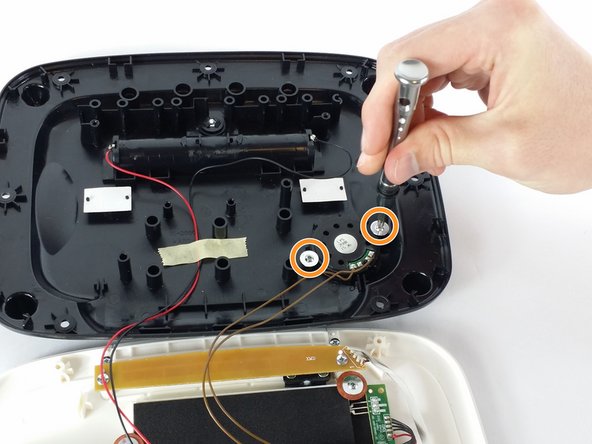
  5. VTech Little Apps Tablet Speaker Replacement, Speaker: шаг 5, изображение 1 из 2 VTech Little Apps Tablet Speaker Replacement, Speaker: шаг 5, изображение 2 из 2
    • The speaker should be located at the bottom-right side of the back cover from your perspective.

    • Remove the two 7.3 mm panhead screws holding down the speaker with a PH0 driver head.

    • Be careful not to disturb the wires while removing the screws.

    Спросите у FixBot

    Добавить комментарий

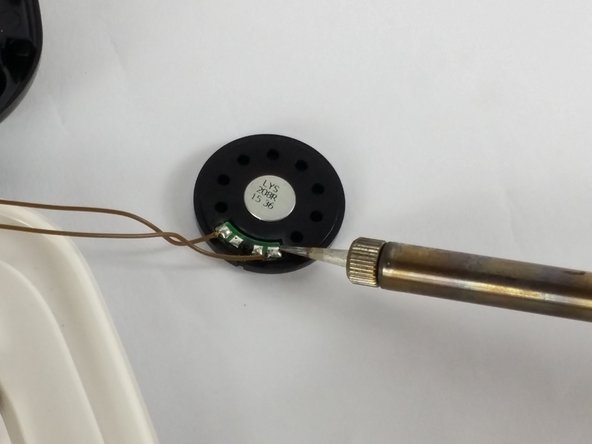
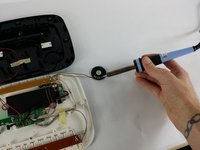
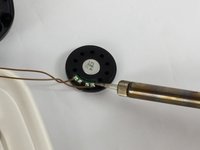
  6. VTech Little Apps Tablet Speaker Replacement: шаг 6, изображение 1 из 2 VTech Little Apps Tablet Speaker Replacement: шаг 6, изображение 2 из 2
    • Remove the speaker from its holding and place it to the side of the device.

    • Desolder the brown wires from the speaker connections.

    • Soldering is the most difficult step in this guide. If you are in need of assistance with this step, refer to this Soldering Guide.

    Спросите у FixBot

    Добавить комментарий

Заключение

To reassemble your device, follow these instructions in reverse order.

Отменить: Я не выполнил это руководство.

Johnnie Cairns

Участник с: 02/10/16

522 Репутация

Автор 4 руководств

Команда

USF Tampa, Team 2-6, Sullivan Spring 2016 Участник USF Tampa, Team 2-6, Sullivan Spring 2016

USFT-SULLIVAN-S16S2G6

3 членов

Автор 12 руководств

0 Комментарии к руководству

Добавить комментарий

Статистика просмотров:

За последние 24 часов: 1

За последние 7 дней: 7

За последние 30 дней: 54

За всё время: 1,554