Перейти к основному содержанию
Присоединяйся к сообществу ремонтников - Создай аккаунт

Voluas VL001 USB Replacement

Выберете то, что вам нужно

    1. Voluas VL001 USB Replacement, Storage Tank: шаг 1, изображение 1 из 3 Voluas VL001 USB Replacement, Storage Tank: шаг 1, изображение 2 из 3 Voluas VL001 USB Replacement, Storage Tank: шаг 1, изображение 3 из 3
      • Remove the lid to the storage tank by using the latch and lifting off.

      • Grab the food storage tank on both sides. Depress the tabs that say "Push" on them and lift the tank off.

      Спросите у FixBot

      Добавить комментарий

    1. Voluas VL001 USB Replacement, Battery: шаг 2, изображение 1 из 3 Voluas VL001 USB Replacement, Battery: шаг 2, изображение 2 из 3 Voluas VL001 USB Replacement, Battery: шаг 2, изображение 3 из 3
      • Place your pet feeder upside down.

      • Squeeze the lock and remove the battery cover.

      • Remove the three 1.5V D alkaline batteries.

      Спросите у FixBot

      Добавить комментарий

    1. Voluas VL001 USB Replacement, Housing: шаг 3, изображение 1 из 3 Voluas VL001 USB Replacement, Housing: шаг 3, изображение 2 из 3 Voluas VL001 USB Replacement, Housing: шаг 3, изображение 3 из 3
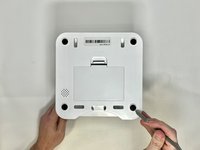
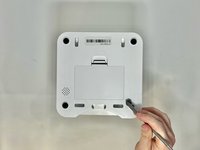
      • Insert a metal spudger under the adhesive part of each rubber foot.

      • Pry the foot off.

      Спросите у FixBot

      Добавить комментарий

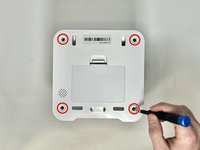
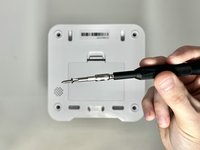
    2. Voluas VL001 USB Replacement: шаг 4, изображение 1 из 2 Voluas VL001 USB Replacement: шаг 4, изображение 2 из 2
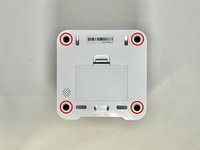
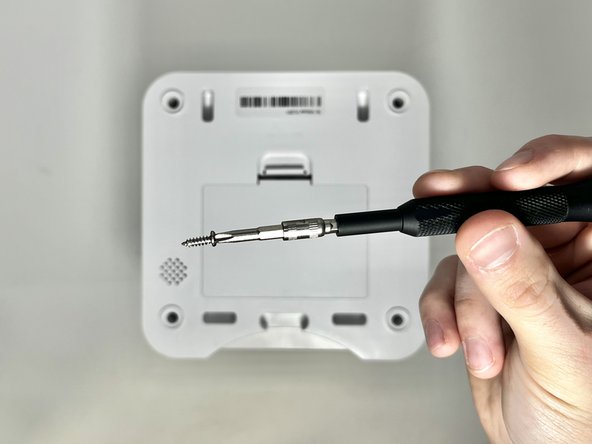
      • Remove four screws from the corners of the device using a Phillips #2 screwdriver.

      • These holes were previously covered by the rubber feet.

      • Using the magnetic tip of the screwdriver, carefully lift the screw out of the hole.

      Спросите у FixBot

      Добавить комментарий

    3. Voluas VL001 USB Replacement: шаг 5, изображение 1 из 1
      • Turn the device over so it is oriented right-side up.

      • Lift the top part of the feeder off, exposing the mechanisms that run the feeder.

      Спросите у FixBot

      Добавить комментарий

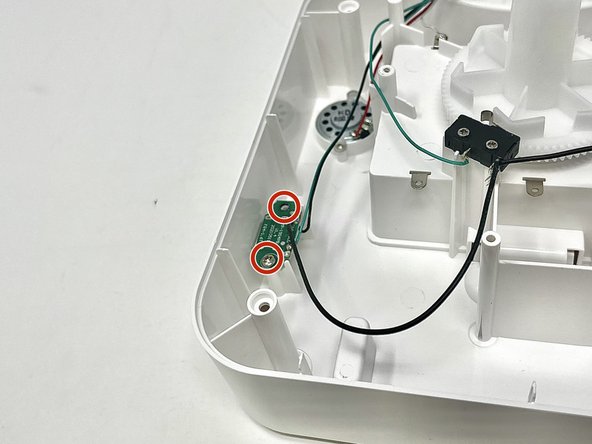
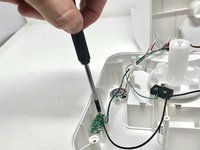
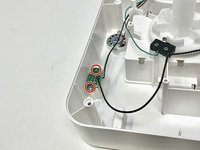
    1. Voluas VL001 USB Replacement, USB: шаг 6, изображение 1 из 2 Voluas VL001 USB Replacement, USB: шаг 6, изображение 2 из 2
      • Using a Phillips #2 screwdriver, carefully remove the two 11.2 mm screws on either side of the USB port.

      Спросите у FixBot

      Добавить комментарий

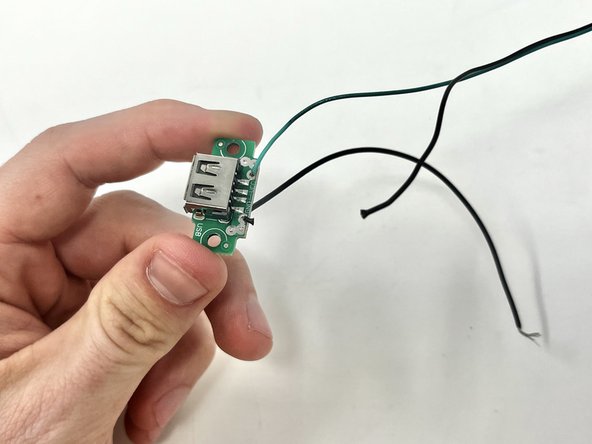
    2. Voluas VL001 USB Replacement: шаг 7, изображение 1 из 2 Voluas VL001 USB Replacement: шаг 7, изображение 2 из 2
      • Using your wire strippers/pliers, cut the three wires that are connected to the USB port.

      Спросите у FixBot

      Добавить комментарий

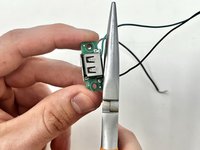
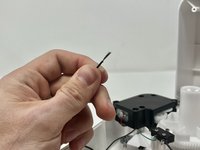
    3. Voluas VL001 USB Replacement: шаг 8, изображение 1 из 3 Voluas VL001 USB Replacement: шаг 8, изображение 2 из 3 Voluas VL001 USB Replacement: шаг 8, изображение 3 из 3
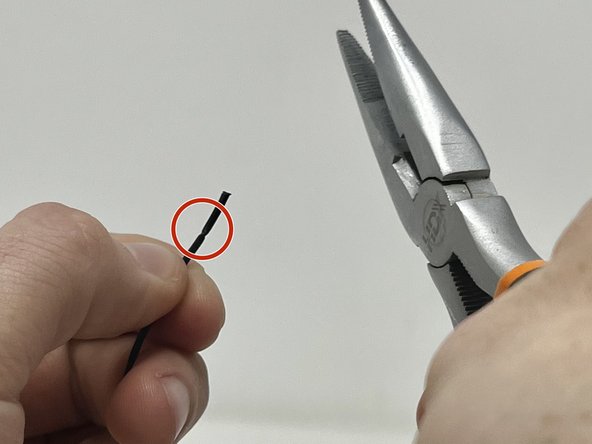
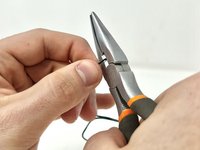
      • Using your wire strippers/pliers, gently crimp the plastic insulation on the wire. Do this several times around the wire to make sure that you can pull it off.

      • Because the wire is so thin, it can be easy to accidentally cut all the way through the wire on this step. Take care to only cut through the insulation.

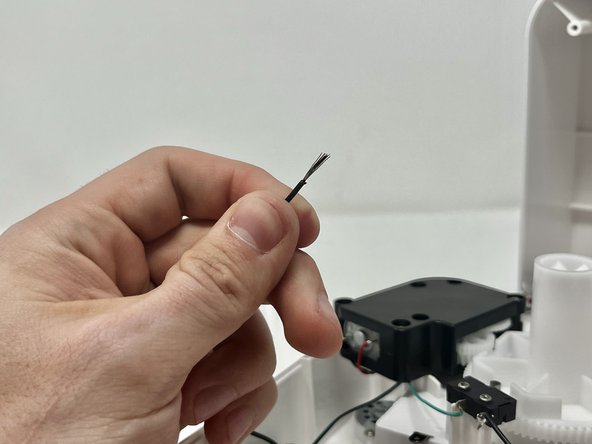
      • You will want to see a score line in the insulation all around the wire like this.

      • Pull the end of the insulation off, exposing the wire.

      Спросите у FixBot

      Добавить комментарий

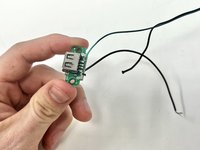
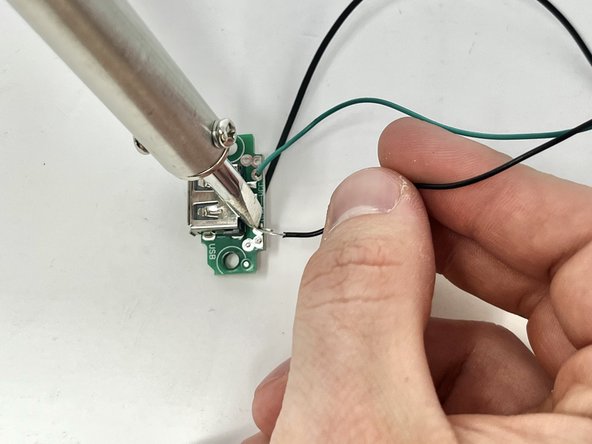
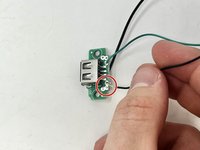
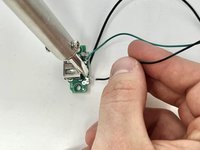
    4. Voluas VL001 USB Replacement: шаг 9, изображение 1 из 2 Voluas VL001 USB Replacement: шаг 9, изображение 2 из 2
      • Put the exposed wire on the solder patch, making sure it has good contact with the metal.

      • Solder the wire on to the solder patch.

      • Repeat steps 8 and 9 for the other two wires.

      Спросите у FixBot

      Добавить комментарий

Заключение

To reassemble your device, follow these instructions in reverse order.

Отменить: Я не выполнил это руководство.

Merari Aniga

Участник с: 01/30/24

459 Репутация

Автор 4 руководств

Команда

Utah Tech University, Team 1-3, McMurrin Spring 2024 Участник Utah Tech University, Team 1-3, McMurrin Spring 2024

UTAHTECH-MCMURRIN-S24S1G3

2 членов

Автор 11 руководств

0 Комментарии к руководству

Добавить комментарий

Статистика просмотров:

За последние 24 часов: 1

За последние 7 дней: 6

За последние 30 дней: 34

За всё время: 551