Перейти к основному содержанию
Присоединяйся к сообществу ремонтников - Создай аккаунт

Vtech Kidizoom Smart Watch DX Buttons Replacement

Выберете то, что вам нужно

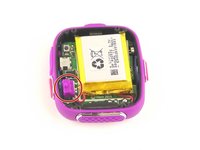
    1. Vtech Kidizoom Smart Watch DX Buttons Replacement, Master Switch: шаг 1, изображение 1 из 1
      • Make sure the master switch is "OFF" before disassembly, to avoid an electric shock.

      • Flip the watch over with the back facing up.

      Спросите у FixBot

      Добавить комментарий

    2. Vtech Kidizoom Smart Watch DX Buttons Replacement: шаг 2, изображение 1 из 1
      • Remove the four 6.0 mm screws on the back plate with the Phillips #00 screwdriver.

      Спросите у FixBot

      Добавить комментарий

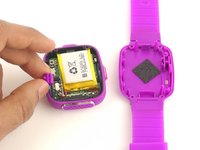
    3. Vtech Kidizoom Smart Watch DX Buttons Replacement: шаг 3, изображение 1 из 1
      • Gently pull the back plate from the watch casing.

      Спросите у FixBot

      Добавить комментарий

    4. Vtech Kidizoom Smart Watch DX Buttons Replacement: шаг 4, изображение 1 из 2 Vtech Kidizoom Smart Watch DX Buttons Replacement: шаг 4, изображение 2 из 2
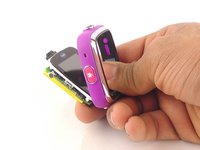
      • Lift the master switch from the circuit board.

      Спросите у FixBot

      Добавить комментарий

    1. Vtech Kidizoom Smart Watch DX Buttons Replacement, Circuit Board: шаг 5, изображение 1 из 2 Vtech Kidizoom Smart Watch DX Buttons Replacement, Circuit Board: шаг 5, изображение 2 из 2
      • The speaker wires are fragile. They may break if excessive force is used to remove the circuit board.

      • Removal of the circuit board requires soldering.

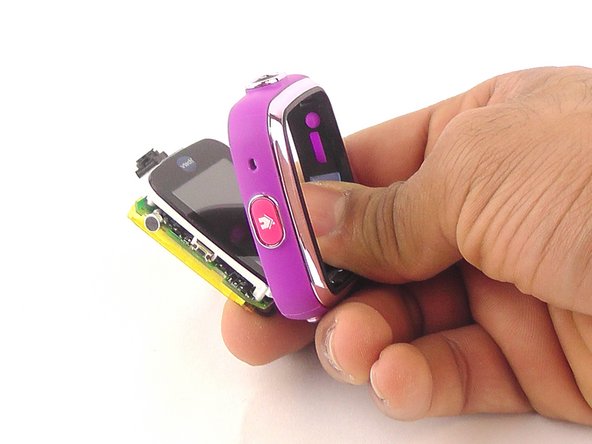
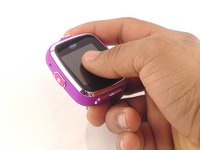
      • Gently push on the display from the front, near the camera. The circuit board and display will pop out through the back.

      Спросите у FixBot

      Добавить комментарий

    2. Vtech Kidizoom Smart Watch DX Buttons Replacement: шаг 6, изображение 1 из 1
      • Lift the circuit board carefully from the casing, without breaking or detaching the speaker wires at the bottom of the circuit board.

      Спросите у FixBot

      Добавить комментарий

    3. Vtech Kidizoom Smart Watch DX Buttons Replacement: шаг 7, изображение 1 из 1
      • Note which wire is connected to which lead before continuing. There are no markers on the circuit board to indicate where each wire belongs.

      • De-solder the black speaker wire from the circuit board.

      Спросите у FixBot

      Добавить комментарий

    4. Vtech Kidizoom Smart Watch DX Buttons Replacement: шаг 8, изображение 1 из 1
      • De-solder the red speaker wire, as in the previous step.

      Спросите у FixBot

      Добавить комментарий

    5. Vtech Kidizoom Smart Watch DX Buttons Replacement: шаг 9, изображение 1 из 1
      • Wait for the solder to cool down and solidify, then remove the circuit board from the casing.

      Спросите у FixBot

      Добавить комментарий

    1. Vtech Kidizoom Smart Watch DX Buttons Replacement, Buttons: шаг 10, изображение 1 из 1
      Инструмент, используемый на этом этапе:
      Tweezers
      $4.99
      • Use the the tweezers to pull off the blue rubber cover behind the button.

      • The blue cover is adhesive, so you can stick it back onto the back of the buttons after replacement.

      Спросите у FixBot

      Добавить комментарий

    2. Vtech Kidizoom Smart Watch DX Buttons Replacement: шаг 11, изображение 1 из 1
      • Use tweezers to separate the backside tab from the front side of the button.

      Спросите у FixBot

      Добавить комментарий

    3. Vtech Kidizoom Smart Watch DX Buttons Replacement: шаг 12, изображение 1 из 1
      • Push the other half of the button out of the casing.

      • Repeat steps 11 and 12 for all buttons.

      Спросите у FixBot

      Добавить комментарий

Заключение

To reassemble your device, follow these instructions in reverse order.

Отменить: Я не выполнил это руководство.

2 человек успешно провели ремонт по этому руководству.

Mohammed Alyaarubi

Участник с: 01/20/16

365 Репутация

1 руководство автора

Команда

USF Tampa, Team 10-6, Remmell Spring 2016 Участник USF Tampa, Team 10-6, Remmell Spring 2016

USFT-REMMELL-S16S10G6

4 членов

Автор 24 руководств

1 Комментарий к руководству

Where can you buy the replacement cover?

Katrina Nullatamby - Ответить Поделиться

Добавить комментарий

Статистика просмотров:

За последние 24 часов: 3

За последние 7 дней: 15

За последние 30 дней: 58

За всё время: 6,571