
Перейти к основному содержанию
Присоединяйся к сообществу ремонтников - Создай аккаунт

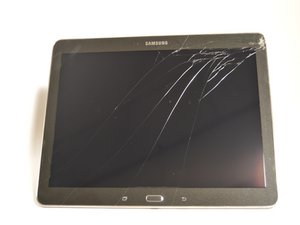
10,1-дюймовый планшет, выпущенный в феврале 2014 года, работает под управлением специальной версии Android 4.4 KitKat. Номер модели: SM-T520NZKAXAR

Why isn't my front camera working?

I've tried taking pictures on my Samsung tablet but when I do the camera isn't actually taking any pictures. Neither is anything showing up in the camera app. The camera on the back still works, just the front one not working.

Отвечено! Посмотреть ответ У меня та же проблема

Это хороший вопрос?

Счет 7
Добавить комментарий

2 Ответов

Выбранное решение

Your device camera might have to be replaced or you might have a software issue. If it's a software issue; you can do a soft reset by holding down the power button for 8 seconds until the device turns off. If that method doesn't work you can do a hard reset of your device but make sure to perform a backup so you wont lose all of your data. If that method doesn't work you can put your device into recovery mode by holding these buttons at the same time while your device is off; power button, volume up, and home button. Use the volume button to scroll and select the option wipe device/factory reset. Then select all user data and press the power button to confirm. If this method doesn't work you might have to replace the motherboard. You can find replacement guides for the device on this page.

Samsung Galaxy Tab Pro 10.1 Troubleshooting

Был ли этот ответ полезен?

Счет 2
Добавить комментарий

Have you recently replaced replaced the glass ? Often when you replace glass the bonding material can cover the lens, or disconnecting the camera altogether. Hope this helps

Был ли этот ответ полезен?

Счет 1
Добавить комментарий

Добавьте свой ответ

Stephen Yeung буду вечно благодарен.
Статистика просмотров:

За последние 24 часов: 0

За последние 7 дней: 2

За последние 30 дней: 19

За всё время: 12,009
