
Перейти к основному содержанию
Присоединяйся к сообществу ремонтников - Создай аккаунт

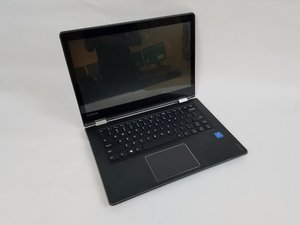
The Lenovo IdeaPad Flex 4-1470 Model Name: 80SA , manufactured in 2016, features a 14 inch touch screen display which folds around 360 degrees to be used like a tablet.

How do I fix the screen?

My laptop screen is flickering, This is a problem I’ve had for several months now but has started getting bad. The driver is updated, and I already did a system restore. I think it might be the wire, how would I fix this?

Отвечено! Посмотреть ответ У меня та же проблема

Это хороший вопрос?

Счет 0
Добавить комментарий

1 ответ

Выбранное решение

Hi @ghostie ,

Here’s a link to the service manual for your laptop.

Scroll to p.56 to view the necessary pre-requisite steps and then the procedure to remove the LCD unit.

This will allow you to inspect the video cable connections at either end to ensure that they are securely connected.

It may also be that the video flex cable is damaged where it passes through the hinge area between the case and the lid so you may have to check for this as well. Try pressing down on the right hinge area and see if you can make the problem occur.

If it is the cable then they are available online. Just search for Lenovo IdeaPad Flex 4-1470 video cable to get results for suppliers of the part.

Worst case is that It may also be a loose connection in the display panel itself. Display panels are irreparable and will need to be replaced. Search online for suppliers.

Был ли этот ответ полезен?

Счет 4
Добавить комментарий

Добавьте свой ответ

Erick Baez буду вечно благодарен.
Статистика просмотров:

За последние 24 часов: 0

За последние 7 дней: 1

За последние 30 дней: 14

За всё время: 2,533
