Перейти к основному содержанию
Присоединяйся к сообществу ремонтников - Создай аккаунт

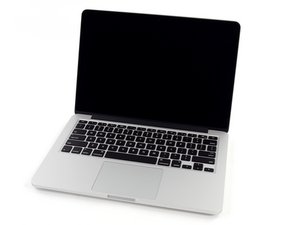
2.5 GHz dual-core Intel Core i5 processor (Turbo Boost up to 3.1 GHz) with 3 MB shared L3 cache.

Charge port replacement question

Hi,

My computer has had trouble charging. I replaced the charger (onE of the pins was stuck) but the problem has persisted. I noticed some burn marks on my charge port and and looking to replace it. Which charge port is the correct one? and which repair guide?

my macbook is a A1278 model, serial number is: C1MMHY1KDTY3

Ответ на этот вопрос У меня та же проблема

Это хороший вопрос?

Счет 0
Добавить комментарий

2 Ответов

Наиболее полезный ответ

@tootscoots according to your serial number your MBP is actually a MacBook Pro 13-Inch "Core i5" 2.5 Mid-2012

2.5 GHz Core i5 (I5-3210M)

Intro.June 11, 2012

Disc.October 27, 2016

OrderMD101LL/A*ModelA1278 (EMC 2554*)

FamilyMid-2012

13"IDMacBookPro9,2

info from here which would make it a unibody model. Heerr is the guide for that MacBook Pro 13" Unibody Mid 2012 MagSafe DC-In Board Replacement and the part is available right here MacBook Pro Unibody 13" and 15" MagSafe DC-In Board

Replace a damaged or malfunctioning magnetic DC power connector. Изображение

Товар

MacBook Pro Unibody 13" and 15" MagSafe DC-In Board

$9.99

Был ли этот ответ полезен?

Счет 1
Добавить комментарий

Charging ports are easy to damage. Constant connecting and removal of the connector cord can be hard on the port and move, bend, or damage internal components. Sometimes a dropped phone can also cause charging issues. If your phone or mobile device has stopped charging correctly krogerfeedback

Был ли этот ответ полезен?

Счет 0
Добавить комментарий

Добавьте свой ответ

foster anderson буду вечно благодарен.
Статистика просмотров:

За последние 24 часов: 1

За последние 7 дней: 2

За последние 30 дней: 11

За всё время: 226

