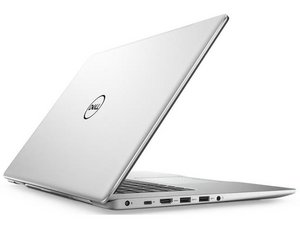
Выпущенный в 2017 году, Dell Inspiron 5570 представляет собой 15-дюймовый ноутбук с процессором Intel и дискретной видеокартой AMD. Его также называют «Inspiron 15 5570».
This happened a while ago I have an external fan so I don’t really care about heating but one time my laptop was so hot that it just closed after I turned it on the next day I just hear beeping sounds and my 2TB ssd or hd not there there’s no drive D I tried everything but it’s not working, That was about a month ago and it still makes this beeping sound
Прокрутите эту тему, чтобы найти подходящее место для этого комментария. Затем нажмите "Прикрепить комментарий к этому сообщению", чтобы переместить его.
4 Комментариев
You say you tried "everything". Can you specify what you tried? It helps us come to a solution.
@guardian10 I did not try to open it yet because I don’t wanna break anything, I tried to see if there was anything in device manager there wasn’t it just read my C drive, then I noticed when I connected a usb or disc it showed as Disc drive D the old name after and renamed it and still no signs tried using one of those apps that manage the disks not working even shortcuts doesn’t open the shortcuts that where to the disc drive D it just says : “the drive or network connection that the shortcut ‘Name.ink’ refers to is unavailable make sure that the disk is properly inserted or the network resource is available, and then try again”
A 1 beep error code is a motherboard or BIOS Rom failure
Try a full power refresh in case it is a corrupted BIOS and check if that resolves the problem.
Here’s the procedure:
a). Disconnect the charger from the laptop if connected.
b). Disconnect the main battery from the motherboard.
c). Remove the RTC coin cell battery from the motherboard.
Here’s the service manual applicable to the laptop. Go to p.21 and p.30 to view the procedure to remove the battery and the RTC coin cell battery respectively.
When the RTC battery is removed measure its voltage. If it is <2.6V DC replace it. It looks like it is a CR2032 coin cell Lithium battery which is commonly available everywhere e.g. supermarkets
d.) Reinsert the RTC battery (or its replacement). (+ve on top as marked on the battery)
e). Reverse the above steps to re-assemble the laptop.
f.) When the laptop is completely re-assembled, connect the charger and try to turn on the laptop.
If it starts OK there may be a message about the date and time being incorrect. This is normal as the BIOS has been completely reset back to its default settings. Once the date and time have been adjusted the message won’t appear the next time that the laptop is started.
If you had previously changed any user defined settings in BIOS to suit whatever specific hardware configuration that you had for the laptop, then these will have to be set again.
Прокрутите эту тему, чтобы найти подходящее место для этого комментария. Затем нажмите "Прикрепить комментарий к этому сообщению", чтобы переместить его.
9 Комментариев:
Is there anyway I can do these things from home because for me I never done it before or opened it only shops for cleaning?
@jayeff I did all of that just an hour ago I tested it with the charger on but I do not have supplies to do the cmos testing so I took it out and back in it did a bios thing but the disk is not showing still if you need a pic tell me

 1
1 

 425
425  1,6к
1,6к 
4 Комментариев
You say you tried "everything". Can you specify what you tried? It helps us come to a solution.
из guardian10
Hi @yaso39064,
Count the number of beeps.
There will be in a repeating pattern e.g. 3 beeps - pause 3 beeps - pause or 2 beeps - pause - 2 beeps etc.
The beeps indicate what the error code is and knowing this makes it easier to find out what's wrong
из jayeff
@guardian10 I did not try to open it yet because I don’t wanna break anything, I tried to see if there was anything in device manager there wasn’t it just read my C drive, then I noticed when I connected a usb or disc it showed as Disc drive D the old name after and renamed it and still no signs tried using one of those apps that manage the disks not working even shortcuts doesn’t open the shortcuts that where to the disc drive D it just says : “the drive or network connection that the shortcut ‘Name.ink’ refers to is unavailable make sure that the disk is properly inserted or the network resource is available, and then try again”
Note : by open it i mean hardware screws stuff
из Yaso
@jayeff https://mega.nz/file/tGgkiRTJ#S9zvqSyHrh... you can hear it here but for confirmation i think it is a 1 beep pause 1 beep etc
из Yaso