Перейти к основному содержанию

The HP 14-dq0051dx is a HP 14 series laptop, released in 2019.

Upgrading the hard drive?

I actually have a HP 14-dq0001dx wit 64gb eMMC SSD and 4 GB RAM. Is is possible to upgrade the hard drive to a larger drive? If so, where is the hard drive locate? Is it under the motherboard?

Thank you,

Ответ на этот вопрос У меня та же проблема

Это хороший вопрос?

Счет 1
Добавить комментарий

3 Ответов

Наиболее полезный ответ
Block Image
Block Image
Block Image

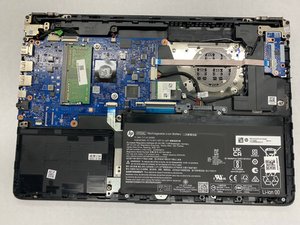
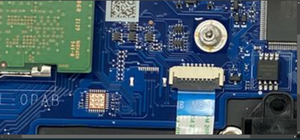
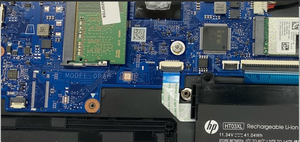
I took a look at the guide to access the motherboard and HP stripped everything that could be used away - it looks like they engineered a stripped out board just for these machines. Now that said the reason I looked into this is at one point HP used a SATA interposer which allowed for an upgrade, but as they built these more formally it's being done like every other eMMC laptop. @oldturkey03 is right - can't be done.

If your had the slot it would be here:

Block Image

Был ли этот ответ полезен?

Счет 3
Добавить комментарий

@bill75092 it can't be upgraded, your eMMc drive is part of the motherboard. Furthermore, any of the other ports (SATA;M.2) have been disabled and can't be enabled. You are stuck with the 64GB.

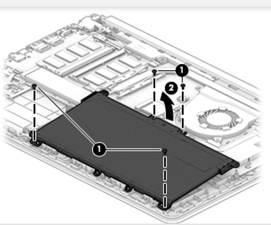
If you do want to work on it and verify any of this, use the Maintenance And Service Guide HP14

Был ли этот ответ полезен?

Счет 1
Добавить комментарий

From the service manual, which you can get from HP site, you can change the RAM to an 8GB module, but to change the main drive (not an HDD) memory you would have to change the system board.

Был ли этот ответ полезен?

Счет 1
Добавить комментарий

Добавьте свой ответ

Bill буду вечно благодарен.
Статистика просмотров:

За последние 24 часов: 2

За последние 7 дней: 21

За последние 30 дней: 106

За всё время: 849