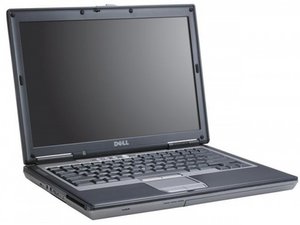

I need password system bios
I'm trying to types password is rejecting and I'm trying to
Set up and to boot menu is all rejecting
Это хороший вопрос?
Счет
0
I'm trying to types password is rejecting and I'm trying to
Set up and to boot menu is all rejecting
Это хороший вопрос?
Репутация: 106к
 462
462
 352
352
 191
191
I am going to expand on @dinoo_fixit's answer as they missed key details. When you get the master password, it's case sensitive. On the D series and early E series machines you enter it and press Shift+Enter, then it will get you in. The key here is on Core 2 era E series machines it just gets you past the initial prompt - you need to make it permanent as if you were setting a new one. The trick is you need to go into the security menu, put the master password in the administrator password box and leave the other boxes blank - this will clear it out. Once you do that, save the changes and exit the BIOS.
Был ли этот ответ полезен?
Thanks, this should be the accepted answer
Репутация: 1,8к
18
10
4
It is a very old laptop, first of all disconnect/reconnect CMOS battery for an initial reset (Замена батарейки CMOS в Dell Latitude D630) and then use a tool like this (https://bios-pw.org/) to insert serial number/asset tag and get a recovery password
Был ли этот ответ полезен?
BIOS battery hasn't worked since the C6XX series. Master password is the only way.
За последние 24 часов: 0
За последние 7 дней: 6
За последние 30 дней: 28
За всё время: 334


