Введение
If the sound of one of the earphones from your Beats Studio 2 Wireless headphones is distorted, muffled, or completely silent, the speaker may need replacement.
Before performing this repair, look at the troubleshooting page for other possible fixes.
This guide requires desoldering and soldering. If you don't have this skill or need a review, take a look at the How to Solder and Desolder Connections guide.
Выберете то, что вам нужно
-
-
-
Insert a spudger between the plastic part of the left headphone and the ear cushion.
-
Work the spudger around the periphery of the base of the cushion and gently pry it off the head phone.
 Спросите у FixBot
-
-
-
Pull the rest of the cushion away from the adhesive with your hands.
-
-
-
-
-
-
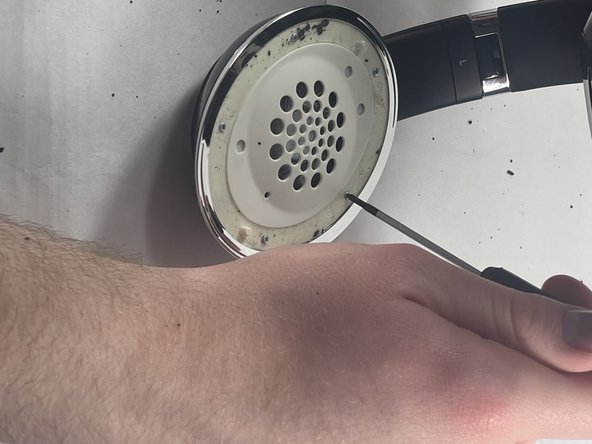
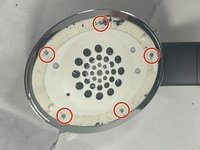
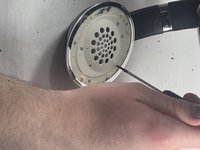
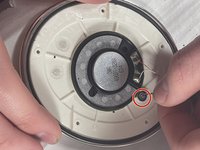
Using the Phillips #00 screwdriver, remove the screws holding the speaker in place.
-
-
-
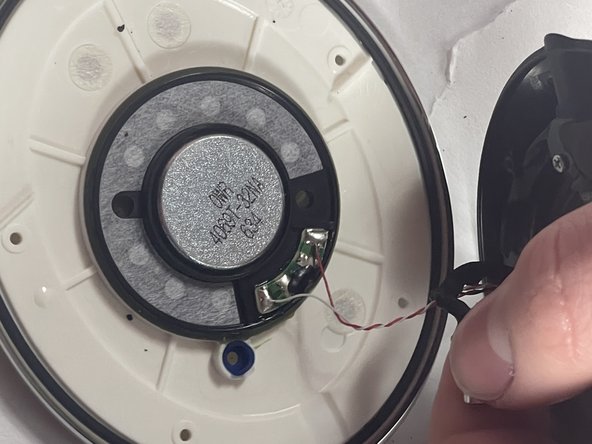
Gently pull the wire with rubber connectors off of the speaker.
-
-
-
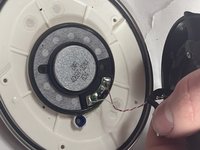
Use a soldering iron to desolder the two connections.
-
For details on how to solder and desolder, refer to the How to Solder and Desolder Connections guide.
-
Note the position of the speaker in its housing, then carefully remove the faulty speaker.
-
-





After soldering the new speaker, reassemble your device by following the steps in reverse order.
Отменить: Я не выполнил это руководство.
4 человек успешно провели ремонт по этому руководству.

Команда

UMass Dartmouth, Team 5-3, Ramos Spring 2023 Участник UMass Dartmouth, Team 5-3, Ramos Spring 2023
UMASSD-RAMOS-S23S5G3
3 членов
Автор 16 руководств
1 Комментарий к руководству
I didn't need to replace a speaker but just touch up the solder joints, this was a great guide! Thank you!
