Введение
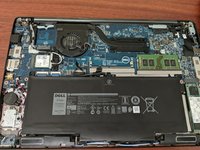
This guide shows how to remove and replace a worn battery for the Dell Latitude 7480 laptop.
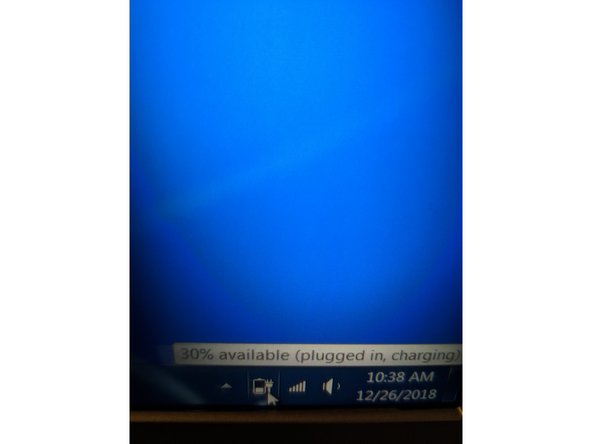
For your safety, discharge your battery below 25% before disassembling your device. This reduces the risk of a dangerous thermal event if the battery is accidentally damaged during the repair. If your battery is swollen, take appropriate precautions.
Выберете то, что вам нужно
-
-
Use a Phillips screwdriver to remove the eight screws securing the back cover.
-
Remove the back cover.
-
-
-
-
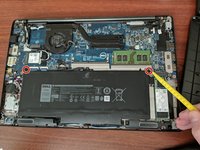
Use a Phillips screwdriver to remove the two screws securing the battery in place.
-
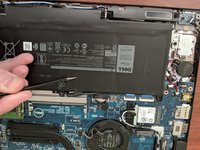
Carefully peel the tape holding the battery cable in place.
-
-
-
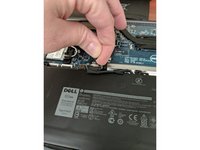
Using the pull tabs pull up and remove the battery connector from the motherboard.
-
Remove the battery and set aside to remove the connector cable.
-
Remove the connector cable. Set aside to apply to the new battery.
-
-
-
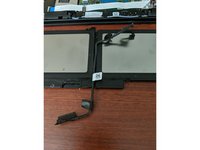
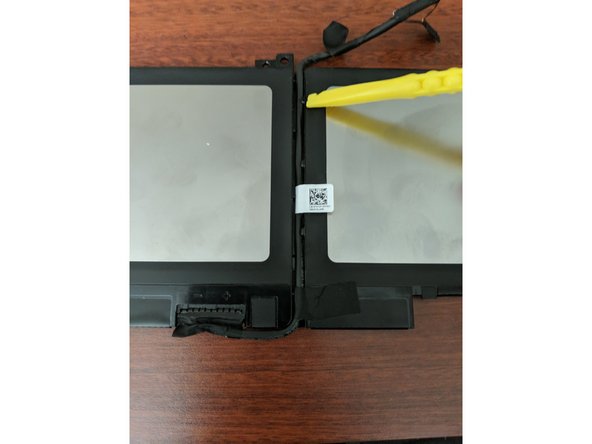
Connect the battery cable to the new battery. You can skip this step if your new battery came with one installed.
-
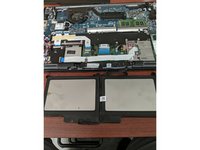
Connect one end of the battery cord to the battery. Route the cord in the channel between battery cells.
-
-
-
Install the new battery by doing the steps in reverse. Be sure to test the device with and without AC power applied to the laptop.
-
Dispose of old battery properly and safely.
-

 Спросите у FixBot






To reassemble your device, follow these instructions in reverse order.
Take your e-waste to an R2 or e-Stewards certified recycler.
Repair didn’t go as planned? Try some basic troubleshooting, or ask our Answers community for help.
Отменить: Я не выполнил это руководство.
27 человек успешно провели ремонт по этому руководству.

Команда

Kyber Computer Solutions LLC Участник Kyber Computer Solutions LLC
Business
1 член
Автор 7 руководств
5 Комментарии к руководству
Thank you!
Didn’t need the entire teardown, just the batter Watt-hour and general shape to make sure I am buying the correct thing.
Keep up the great work for the community.
It would also be helpful if you included the specification of the screws. For example, if you buy one without a battery.
Dell's website says this laptop should take a KG7VF battery but this guide says to use a F3YGT battery? Why?
I found out why. KG7VF and F3YGT refer to the same item. F3YGT is what is physically printed on the battery while KG7VF is what it's called on Dell's store. Very interesting procedure there Dell.
Ya'll are amazing! Thank you for everything you do!
