Перейти к основному содержанию
Присоединяйся к сообществу ремонтников - Создай аккаунт

DualSense Controller v2 Adaptive Trigger Replacement

Выберете то, что вам нужно

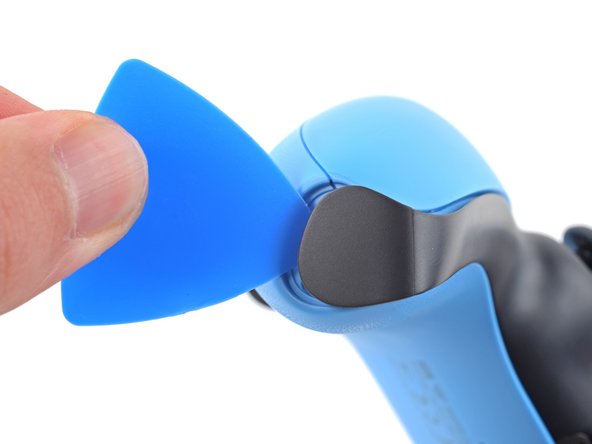
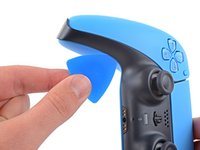
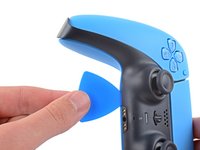
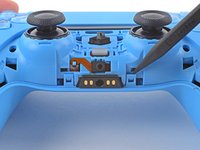
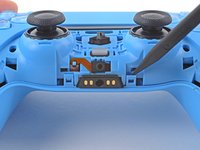
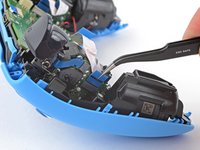
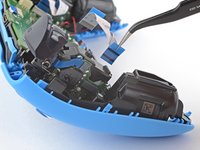
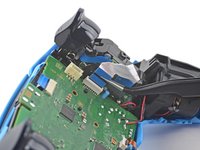
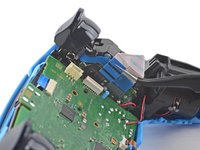
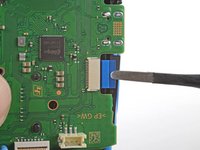
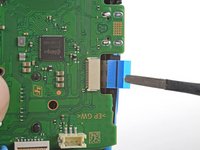
  1. DualSense Controller v2 Adaptive Trigger Replacement, Unclip the right end of the middle trim: шаг 1, изображение 1 из 2 DualSense Controller v2 Adaptive Trigger Replacement, Unclip the right end of the middle trim: шаг 1, изображение 2 из 2
    • Disconnect and power down the controller before you begin.

    • Insert an opening pick underneath the middle trim at the bottom-right corner of the controller to release the clips securing it to the case.

    Спросите у FixBot

    Добавить комментарий

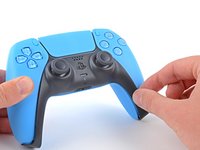
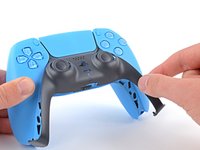
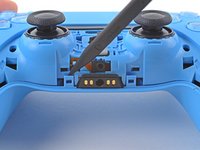
  2. DualSense Controller v2 Adaptive Trigger Replacement, Unclip the lower-right edge of the middle trim: шаг 2, изображение 1 из 3 DualSense Controller v2 Adaptive Trigger Replacement, Unclip the lower-right edge of the middle trim: шаг 2, изображение 2 из 3 DualSense Controller v2 Adaptive Trigger Replacement, Unclip the lower-right edge of the middle trim: шаг 2, изображение 3 из 3
    • Slide the opening pick along the lower-right edge of the middle trim to release the clips securing it to the case.

    Спросите у FixBot

    Добавить комментарий

  3. DualSense Controller v2 Adaptive Trigger Replacement, Unclip the left end of the middle trim: шаг 3, изображение 1 из 2 DualSense Controller v2 Adaptive Trigger Replacement, Unclip the left end of the middle trim: шаг 3, изображение 2 из 2
    • Insert an opening pick underneath the middle trim at the bottom-left corner of the controller to release the clips securing it to the case.

    Спросите у FixBot

    Добавить комментарий

  4. DualSense Controller v2 Adaptive Trigger Replacement, Unclip the lower-left edge of the middle trim: шаг 4, изображение 1 из 3 DualSense Controller v2 Adaptive Trigger Replacement, Unclip the lower-left edge of the middle trim: шаг 4, изображение 2 из 3 DualSense Controller v2 Adaptive Trigger Replacement, Unclip the lower-left edge of the middle trim: шаг 4, изображение 3 из 3
    • Slide the opening pick along the lower-left edge of the middle trim to release the clips securing it to the case.

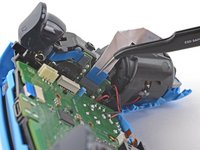
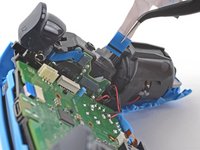
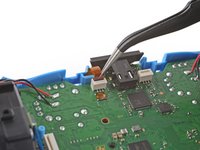
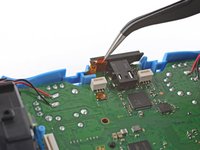
    Спросите у FixBot

    Добавить комментарий

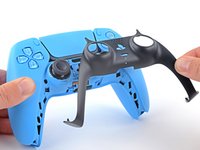
  5. DualSense Controller v2 Adaptive Trigger Replacement, Remove the middle trim: шаг 5, изображение 1 из 3 DualSense Controller v2 Adaptive Trigger Replacement, Remove the middle trim: шаг 5, изображение 2 из 3 DualSense Controller v2 Adaptive Trigger Replacement, Remove the middle trim: шаг 5, изображение 3 из 3
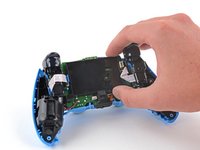
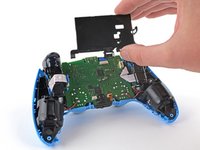
    • Use your fingers to lift up the bottom edge of the middle trim to release the remaining clips.

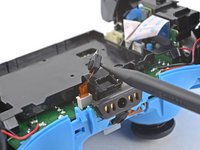
    • Lift the middle trim over the joysticks to remove it.

    • During reassembly, position the middle trim into place and press along all edges to engage the clips securing it to the controller.

    Спросите у FixBot

    Добавить комментарий

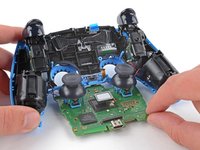
  6. DualSense Controller v2 Adaptive Trigger Replacement, Remove the L1 button: шаг 6, изображение 1 из 3 DualSense Controller v2 Adaptive Trigger Replacement, Remove the L1 button: шаг 6, изображение 2 из 3 DualSense Controller v2 Adaptive Trigger Replacement, Remove the L1 button: шаг 6, изображение 3 из 3
    • Insert the flat end of a spudger into the gap above the L1 button.

    • Cover the button with your thumb to prevent it from ejecting across the room.

    • Pry the spudger upward to remove the L1 button.

    Спросите у FixBot

    Добавить комментарий

  7. DualSense Controller v2 Adaptive Trigger Replacement, Remove the R1 button: шаг 7, изображение 1 из 3 DualSense Controller v2 Adaptive Trigger Replacement, Remove the R1 button: шаг 7, изображение 2 из 3 DualSense Controller v2 Adaptive Trigger Replacement, Remove the R1 button: шаг 7, изображение 3 из 3
    • Insert the flat end of a spudger into the gap above the R1 button.

    • Cover the button with your thumb to prevent it from ejecting across the room.

    • Pry the spudger upward to remove the R1 button.

    Спросите у FixBot

    Добавить комментарий

  8. DualSense Controller v2 Adaptive Trigger Replacement, Remove the case screws: шаг 8, изображение 1 из 1
    • Use a Phillips screwdriver to remove the two 6.5 mm screws securing the bottom corners of the lower case.

    Спросите у FixBot

    Добавить комментарий

  9. DualSense Controller v2 Adaptive Trigger Replacement: шаг 9, изображение 1 из 1
    • Use a Phillips screwdriver to remove the two 6.5 mm screws behind the L1 and R1 buttons.

    Спросите у FixBot

    Добавить комментарий

  10. DualSense Controller v2 Adaptive Trigger Replacement, Unclip the rear case: шаг 10, изображение 1 из 3 DualSense Controller v2 Adaptive Trigger Replacement, Unclip the rear case: шаг 10, изображение 2 из 3 DualSense Controller v2 Adaptive Trigger Replacement, Unclip the rear case: шаг 10, изображение 3 из 3
    • Use the pointed edge of a spudger to unclip the two clips on either side of the headset jack.

    Спросите у FixBot

    Добавить комментарий

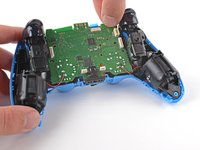
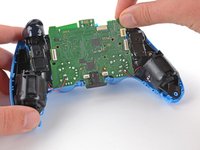
  11. DualSense Controller v2 Adaptive Trigger Replacement, Remove the rear case: шаг 11, изображение 1 из 2 DualSense Controller v2 Adaptive Trigger Replacement, Remove the rear case: шаг 11, изображение 2 из 2
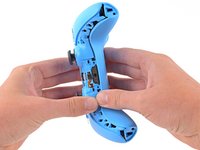
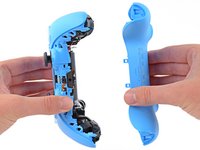
    • Use your hands to carefully pull the rear case off of the controller.

    • During reassembly, make sure the red and black vibration motor wires are not pinched between the front and rear case.

    Спросите у FixBot

    Добавить комментарий

  12. DualSense Controller v2 Adaptive Trigger Replacement, Reposition the battery: шаг 12, изображение 1 из 2 DualSense Controller v2 Adaptive Trigger Replacement, Reposition the battery: шаг 12, изображение 2 из 2
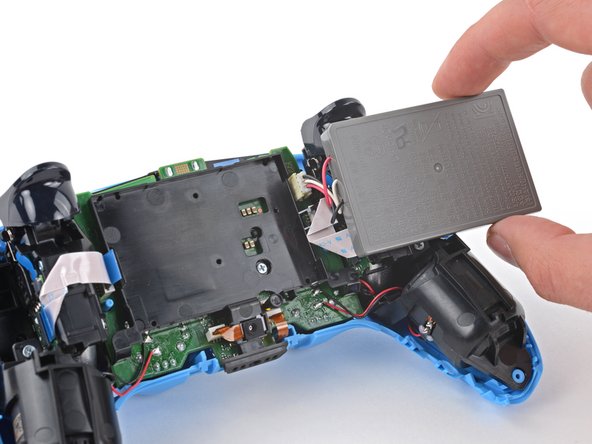
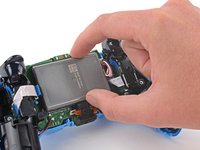
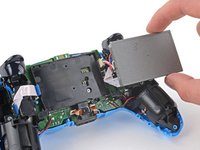
    • Lift the battery out of its bracket and reposition it to the right for better access to the battery connector.

    • Don't strain the battery cables.

    Спросите у FixBot

    Добавить комментарий

  13. DualSense Controller v2 Adaptive Trigger Replacement, Disconnect the battery: шаг 13, изображение 1 из 2 DualSense Controller v2 Adaptive Trigger Replacement, Disconnect the battery: шаг 13, изображение 2 из 2
    Инструмент, используемый на этом этапе:
    Tweezers
    $4.99
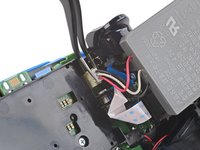
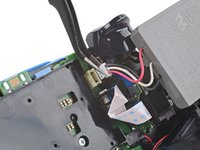
    • Use a pair of tweezers or your fingers to disconnect the battery from the motherboard.

    • Don't pull on the wires to disconnect the battery.

    Спросите у FixBot

    Добавить комментарий

  14. DualSense Controller v2 Adaptive Trigger Replacement, Remove the battery: шаг 14, изображение 1 из 1
    • Remove the battery.

    Спросите у FixBot

    Добавить комментарий

  15. DualSense Controller v2 Adaptive Trigger Replacement, Remove the lower microphone: шаг 15, изображение 1 из 2 DualSense Controller v2 Adaptive Trigger Replacement, Remove the lower microphone: шаг 15, изображение 2 из 2
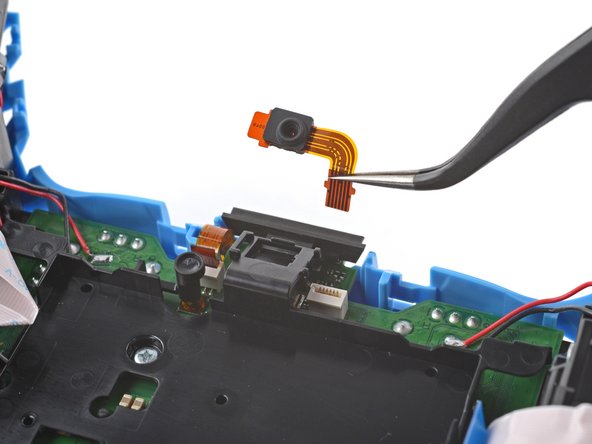
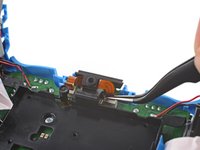
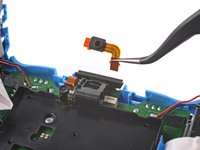
    • Use the pointed end of a spudger to remove the lower microphone from its bracket next to the battery.

    • During reassembly, make sure the end of the microphone's ribbon cable is slotted into the bracket.

    Спросите у FixBot

    Добавить комментарий

  16. DualSense Controller v2 Adaptive Trigger Replacement: шаг 16, изображение 1 из 2 DualSense Controller v2 Adaptive Trigger Replacement: шаг 16, изображение 2 из 2
    Инструмент, используемый на этом этапе:
    Tweezers
    $4.99
    • Grab the lower microphone ribbon cable pull tab with your fingers or a pair of tweezers and disconnect it from the motherboard.

    Спросите у FixBot

    Добавить комментарий

  17. DualSense Controller v2 Adaptive Trigger Replacement, Remove the battery bracket: шаг 17, изображение 1 из 1
    • Use a Phillips screwdriver to remove the 6.5 mm screw securing the battery bracket.

    Спросите у FixBot

    Добавить комментарий

  18. DualSense Controller v2 Adaptive Trigger Replacement: шаг 18, изображение 1 из 2 DualSense Controller v2 Adaptive Trigger Replacement: шаг 18, изображение 2 из 2
    • Lift the battery bracket off of the motherboard.

    Спросите у FixBot

    Добавить комментарий

  19. DualSense Controller v2 Adaptive Trigger Replacement, Disconnect the right trigger assembly: шаг 19, изображение 1 из 2 DualSense Controller v2 Adaptive Trigger Replacement, Disconnect the right trigger assembly: шаг 19, изображение 2 из 2
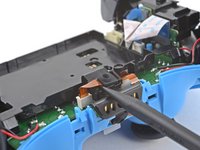
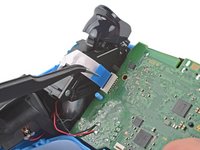
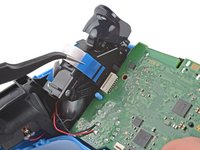
    • Grip the right trigger assembly cable with a pair of tweezers or your fingers and disconnect it from the motherboard.

    • Use the pull tab to disconnect the cable. Don't pull on the cable itself.

    • Don't completely remove the ribbon cable yet.

    Спросите у FixBot

    Добавить комментарий

  20. DualSense Controller v2 Adaptive Trigger Replacement: шаг 20, изображение 1 из 2 DualSense Controller v2 Adaptive Trigger Replacement: шаг 20, изображение 2 из 2
    • Grip the right trigger assembly cable with a pair of tweezers or your fingers, and disconnect it from the trigger assembly.

    • Use the pull tab to disconnect the cable. Don't pull on the cable itself.

    • Depending on the controller's model, the ribbon cable may block the motherboard from coming loose. If so, remove the cable from the trigger assembly.

    Спросите у FixBot

    Добавить комментарий

  21. DualSense Controller v2 Adaptive Trigger Replacement, Disconnect the left trigger assembly: шаг 21, изображение 1 из 2 DualSense Controller v2 Adaptive Trigger Replacement, Disconnect the left trigger assembly: шаг 21, изображение 2 из 2
    • Grip the left trigger assembly cable with a pair of tweezers or your fingers to disconnect it from the motherboard.

    • Use the pull tab to disconnect the cable. Don't pull on the cable itself.

    • Don't completely remove the ribbon cable yet.

    Спросите у FixBot

    Добавить комментарий

  22. DualSense Controller v2 Adaptive Trigger Replacement: шаг 22, изображение 1 из 2 DualSense Controller v2 Adaptive Trigger Replacement: шаг 22, изображение 2 из 2
    • Grip the left trigger assembly cable with a pair of tweezers or your fingers to disconnect it from the trigger assembly.

    • Use the pull tab to disconnect the cable. Don't pull on the cable itself.

    • Depending on the controller's model, the ribbon cable may block the motherboard from coming loose. If so, remove the cable from the trigger assembly.

    Спросите у FixBot

    Добавить комментарий

  23. DualSense Controller v2 Adaptive Trigger Replacement, Disconnect the upper microphone: шаг 23, изображение 1 из 2 DualSense Controller v2 Adaptive Trigger Replacement, Disconnect the upper microphone: шаг 23, изображение 2 из 2
    • Use a pair of tweezers or your fingers to disconnect the upper microphone from the motherboard.

    • Use the pull tab to disconnect the cable. Don't pull on the cable itself.

    • If you're not replacing this microphone, don't remove it from the frame.

    Спросите у FixBot

    Добавить комментарий

  24. DualSense Controller v2 Adaptive Trigger Replacement, Disconnect the touchpad: шаг 24, изображение 1 из 2 DualSense Controller v2 Adaptive Trigger Replacement, Disconnect the touchpad: шаг 24, изображение 2 из 2
    • Use a pair of tweezers or your fingers to disconnect the touchpad cable from the motherboard.

    • Use the pull tab to disconnect the cable. Don't pull on the cable itself.

    Спросите у FixBot

    Добавить комментарий

  25. DualSense Controller v2 Adaptive Trigger Replacement, Lift out the motherboard: шаг 25, изображение 1 из 3 DualSense Controller v2 Adaptive Trigger Replacement, Lift out the motherboard: шаг 25, изображение 2 из 3 DualSense Controller v2 Adaptive Trigger Replacement, Lift out the motherboard: шаг 25, изображение 3 из 3
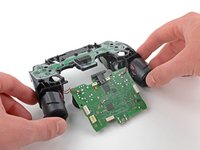
    • Carefully guide the joysticks through the front case and lift the motherboard out.

    • Don't strain the four soldered wires tethering the motherboard to the vibration motors.

    Спросите у FixBot

    Добавить комментарий

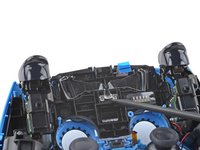
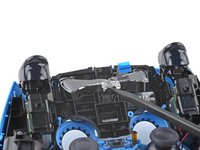
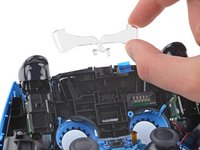
  26. DualSense Controller v2 Adaptive Trigger Replacement, Remove the light guide: шаг 26, изображение 1 из 3 DualSense Controller v2 Adaptive Trigger Replacement, Remove the light guide: шаг 26, изображение 2 из 3 DualSense Controller v2 Adaptive Trigger Replacement, Remove the light guide: шаг 26, изображение 3 из 3
    • Use the pointed end of your spudger to lift the center of the light guide out of the controller.

    • Remove the light guide.

    Спросите у FixBot

    Добавить комментарий

  27. DualSense Controller v2 Adaptive Trigger Replacement, Remove the midframe: шаг 27, изображение 1 из 1
    • Use your Phillips driver to remove the two 6.5 mm screws securing the midframe to the front case.

    Спросите у FixBot

    Добавить комментарий

  28. DualSense Controller v2 Adaptive Trigger Replacement: шаг 28, изображение 1 из 3 DualSense Controller v2 Adaptive Trigger Replacement: шаг 28, изображение 2 из 3 DualSense Controller v2 Adaptive Trigger Replacement: шаг 28, изображение 3 из 3
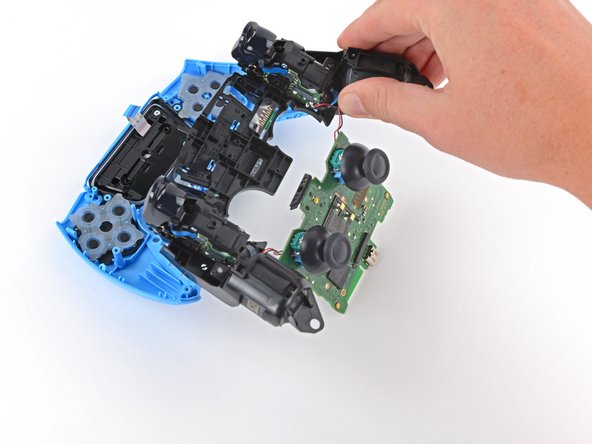
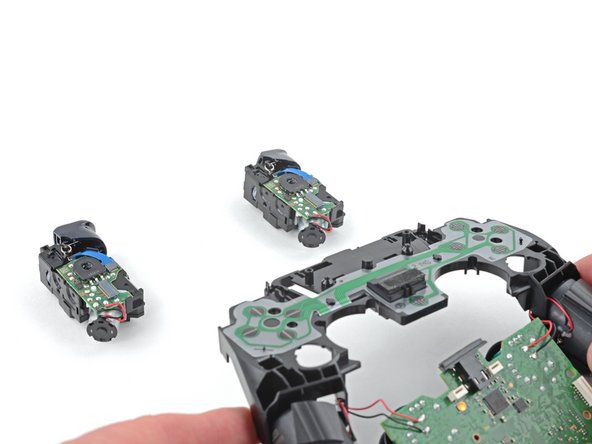
    • Carefully lift the midframe and motherboard up and out of the front case.

    • Be careful not to strain the vibrator motor wires.

    • During reassembly, feed the touchpad's ribbon cable back through its rectangular opening in the midframe.

    Спросите у FixBot

    Добавить комментарий

  29. DualSense Controller v2 Adaptive Trigger Replacement, Remove the adaptive triggers: шаг 29, изображение 1 из 1
    • Use your Phillips screwdriver to remove the four 6.5 mm screws securing the adaptive triggers to the midframe.

    • The adaptive triggers are loose and will fall out of the midframe.

    • During reassembly, verify the conductive membrane is properly aligned by checking the screw holes and alignment posts.

    • Proper alignment of the conductive membrane is essential for button functionality.

    Спросите у FixBot

    Добавить комментарий

  30. DualSense Controller v2 Adaptive Trigger Replacement: шаг 30, изображение 1 из 2 DualSense Controller v2 Adaptive Trigger Replacement: шаг 30, изображение 2 из 2
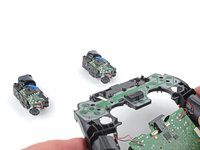
    • Lift the midframe off of the adaptive triggers.

    • Be careful not to pull the vibration motor wires out of the motherboard.

    Спросите у FixBot

    Добавить комментарий

Заключение

To reassemble your device, follow these instructions in reverse order.

Take your e-waste to an R2 or e-Stewards certified recycler.

Repair didn’t go as planned? Try some basic troubleshooting, or ask our Answers community for help.

Отменить: Я не выполнил это руководство.

2 человек успешно провели ремонт по этому руководству.

Sam Omiotek

Участник с: 02/25/19

98 688 Репутация

Автор 290 руководств

4 Комментарии к руководству

Anyone knows where to buy the Adaptive Triggers for this controller model, CFI-ZCT1W? Thanks in advance.

Obel Ortiz - Ответить Поделиться

This is wrong. Not the instructions for V2 as V2 removed the screws that hold the adaptive triggers so now it's impossible to remove them.

Glen Senecal - Ответить Поделиться

Does anyone know how to replace the l2 and r2 bumpers? I need to remove for a controller mod

MalicePalace - Ответить Поделиться

For a BDM-020 controller, extremerate has a video about installing a clicky kit that requires you to take off the trigger caps. They also have mods for other controller versions, so I assume they have videos for those controller variations too.

https://youtu.be/JSpm7piCqgQ?si=SyotXDne...

Lone - Ответить Поделиться

Добавить комментарий

Статистика просмотров:

За последние 24 часов: 20

За последние 7 дней: 187

За последние 30 дней: 755

За всё время: 26,228