Перейти к основному содержанию

Framework Laptop 12 Fastener Guide

Выберете то, что вам нужно

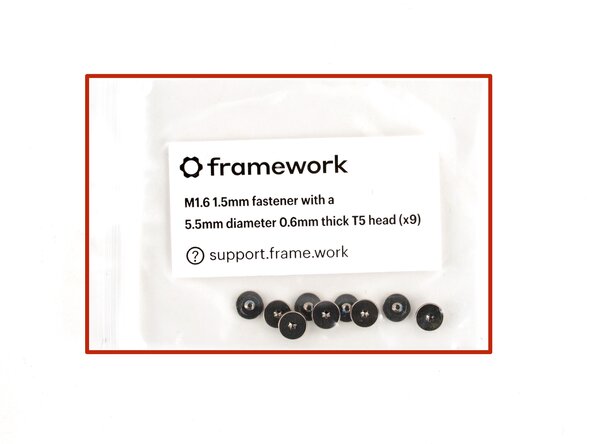
  1. Framework Laptop 12 Fastener Guide, Fasteners information: шаг 1, изображение 1 из 2 Framework Laptop 12 Fastener Guide, Fasteners information: шаг 1, изображение 2 из 2
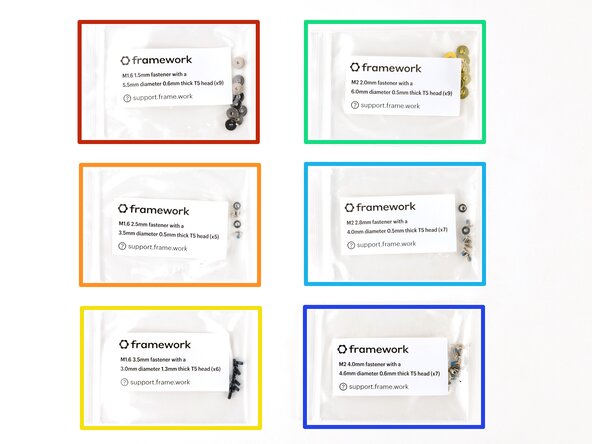
    • The Fastener Kit contains the following:

    • Nine grey screws labeled "M1.6 1.5mm fastener with a 5.5mm diameter 0.6mm thick T5 head"

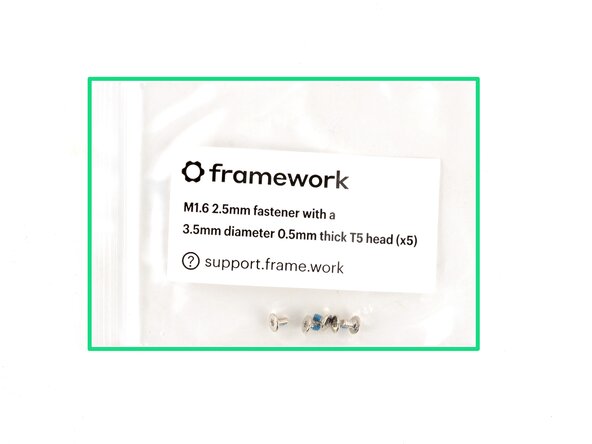
    • Five silver screws labeled "M1.6 2.5mm fastener with a 3.5mm diameter 0.5mm thick T5 head"

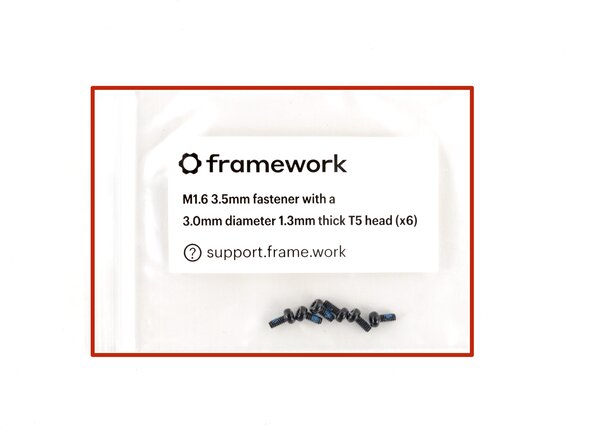
    • Six black screws labeled "M1.6 3.5mm fastener with a 3.0mm diameter 1.3mm thick T5 head"

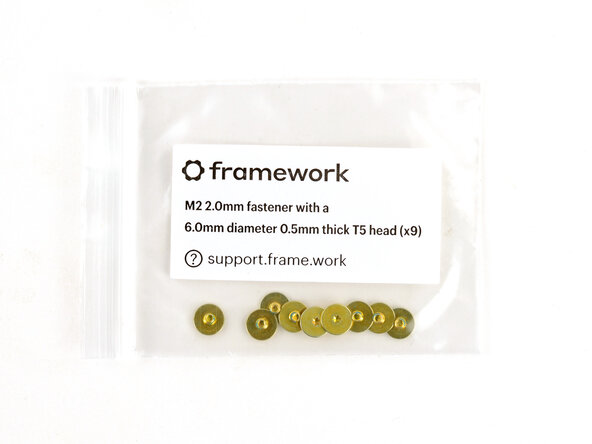
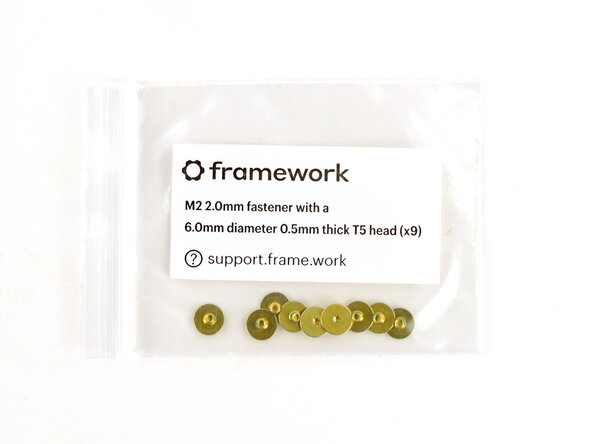
    • Nine gold screws labeled "M2 2.0mm fastener with a 6.0mm diameter 0.5mm thick T5 head"

    • Seven silver screws labeled "M2 2.8mm fastener with a 4.0mm diameter 0.5mm thick T5 head"

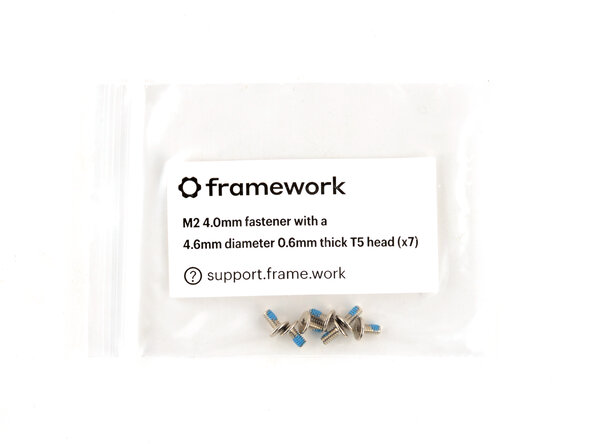
    • Seven silver screws labeled "M1.6 4.0mm fastener with a 4.6mm diameter 0.6mm thick T5 head"

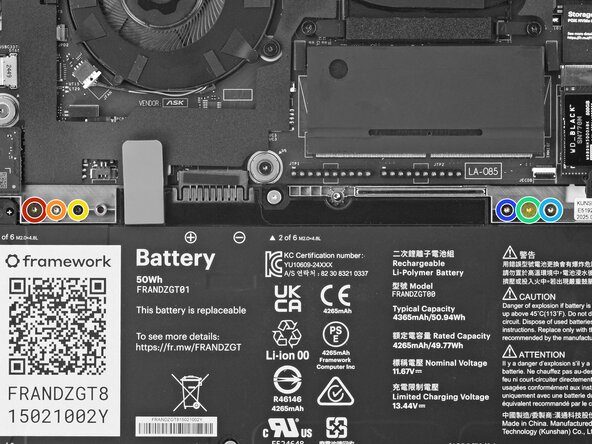
    • Your Framework Laptop comes with a spare screw of each size, attached to the chassis above the battery. You can use the Fastener Kit to replenish any screws you used there.

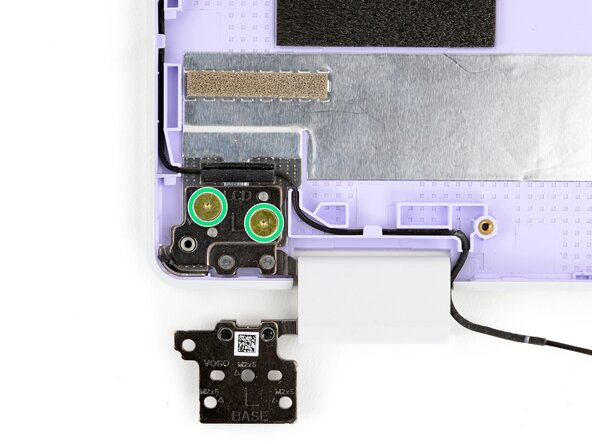
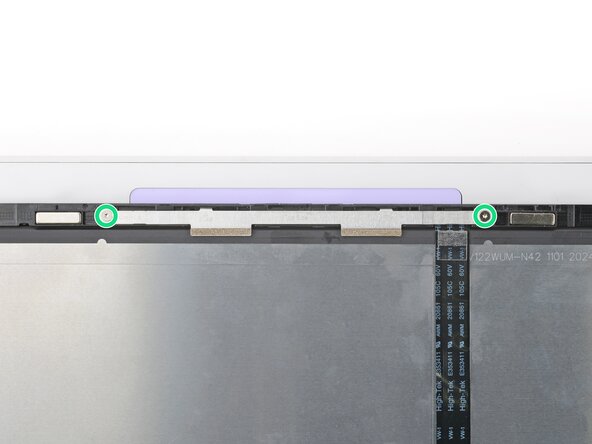
  2. Framework Laptop 12 Fastener Guide, Antenna screws: шаг 2, изображение 1 из 3 Framework Laptop 12 Fastener Guide, Antenna screws: шаг 2, изображение 2 из 3 Framework Laptop 12 Fastener Guide, Antenna screws: шаг 2, изображение 3 из 3
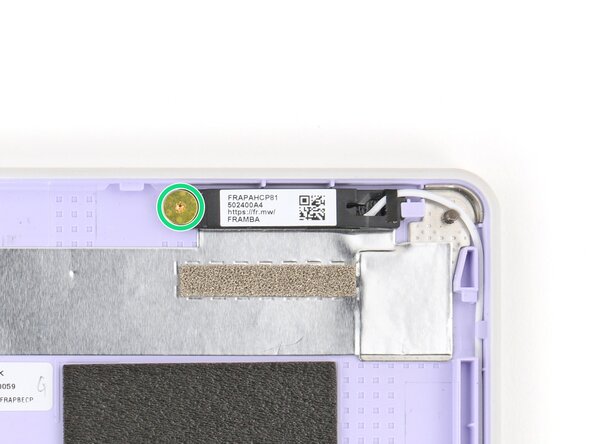
    • Use the gold screws labeled "M2 2.0mm fastener with a 6.0mm diameter 0.5mm thick T5 head" to secure the antennas.

  3. Framework Laptop 12 Fastener Guide, Display screws: шаг 3, изображение 1 из 2 Framework Laptop 12 Fastener Guide, Display screws: шаг 3, изображение 2 из 2
    • Use the silver screws labeled "M2 2.8mm fastener with a 4.0mm diameter 0.5mm thick T5 head" to secure the display.

    • Tighten the screws until they're snug. Don't over-tighten them, or you may break the screw tabs.

  4. Framework Laptop 12 Fastener Guide, Expansion Card lock screws: шаг 4, изображение 1 из 3 Framework Laptop 12 Fastener Guide, Expansion Card lock screws: шаг 4, изображение 2 из 3 Framework Laptop 12 Fastener Guide, Expansion Card lock screws: шаг 4, изображение 3 из 3
    • Use the black screws labeled "M1.6 3.5mm fastener with a 3.0mm diameter 1.3mm thick T5 head" to secure the Expansion Card latches.

    • Use the silver screws labeled "M1.6 2.5mm fastener with a 3.5mm diameter 0.5mm thick T5 head" to replace the Expansion Card lock screws.

  5. Framework Laptop 12 Fastener Guide, Hinge screws (bottom): шаг 5, изображение 1 из 3 Framework Laptop 12 Fastener Guide, Hinge screws (bottom): шаг 5, изображение 2 из 3 Framework Laptop 12 Fastener Guide, Hinge screws (bottom): шаг 5, изображение 3 из 3
    • Use the silver screws labeled "M2 4.0mm fastener with a 4.6mm diameter 0.6mm thick T5 head" to secure the hinges to the Bottom Cover.

  6. Framework Laptop 12 Fastener Guide, Hinge screws (top): шаг 6, изображение 1 из 3 Framework Laptop 12 Fastener Guide, Hinge screws (top): шаг 6, изображение 2 из 3 Framework Laptop 12 Fastener Guide, Hinge screws (top): шаг 6, изображение 3 из 3
    • Use the gold screws labeled "M2 2.0mm fastener with a 6.0mm diameter 0.5mm thick T5 head" to secure the hinges to the Top Cover.

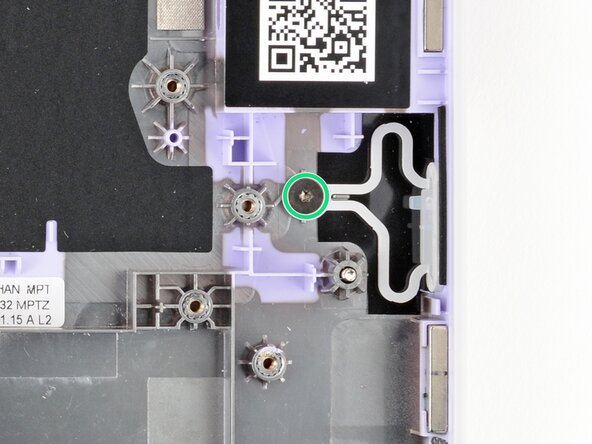
  7. Framework Laptop 12 Fastener Guide, Power Button screw: шаг 7, изображение 1 из 2 Framework Laptop 12 Fastener Guide, Power Button screw: шаг 7, изображение 2 из 2
    • Use the grey screw labeled "M1.6 1.5mm fastener with a 5.5mm diameter 0.6mm thick T5 head" to secure the Power Button.

  8. Framework Laptop 12 Fastener Guide, SSD clip screw: шаг 8, изображение 1 из 2 Framework Laptop 12 Fastener Guide, SSD clip screw: шаг 8, изображение 2 из 2
    • Use the black screw labeled "M1.6 3.5mm fastener with a 3.0mm diameter 1.3mm thick T5 head" to secure the SSD clip.

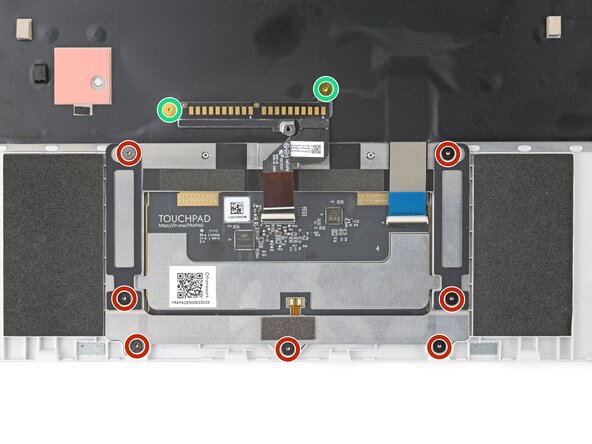
  9. Framework Laptop 12 Fastener Guide, Touchpad screws: шаг 9, изображение 1 из 3 Framework Laptop 12 Fastener Guide, Touchpad screws: шаг 9, изображение 2 из 3 Framework Laptop 12 Fastener Guide, Touchpad screws: шаг 9, изображение 3 из 3
    • Use the grey screws labeled "M1.6 1.5mm fastener with a 5.5mm diameter 0.6mm thick T5 head" to secure the touchpad.

    • Use the gold screws labeled "M2 2.0mm fastener with a 6.0mm diameter 0.5mm thick T5 head" to secure the touchpad pogo connector.

  10. Framework Laptop 12 Fastener Guide, Webcam screws: шаг 10, изображение 1 из 2 Framework Laptop 12 Fastener Guide, Webcam screws: шаг 10, изображение 2 из 2
    • Use the silver screws labeled "M2 2.8mm fastener with a 4.0mm diameter 0.5mm thick T5 head" to secure the webcam.

Заключение

If you need help, contact Framework support.

Arthur Shi

Участник с: 01/03/18

310 205 Репутация

Автор 701 руководств

0 Комментарии к руководству

Добавить комментарий

Статистика просмотров:

За последние 24 часов: 0

За последние 7 дней: 5

За последние 30 дней: 67

За всё время: 71