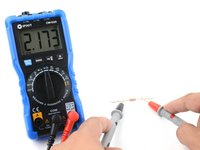
Перейти к основному содержанию
Присоединяйся к сообществу ремонтников - Создай аккаунт

How To Use A Multimeter

Выберете то, что вам нужно

  1. How To Use A Multimeter, Testing Continuity: шаг 1, изображение 1 из 1
    • A continuity test tells us whether two things are electrically connected: if something is continuous, an electric current can flow freely from one end to the other.

    • If there's no continuity, it means there is a break somewhere in the circuit. This could indicate anything from a blown fuse or bad solder joint to an incorrectly wired circuit.

    • Continuity is one of the most useful tests for electronics repair.

    Спросите у FixBot
  2. How To Use A Multimeter: шаг 2, изображение 1 из 3 How To Use A Multimeter: шаг 2, изображение 2 из 3 How To Use A Multimeter: шаг 2, изображение 3 из 3
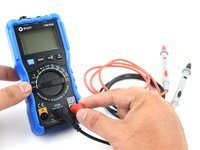
    • To begin, make sure no current is running through the circuit or component you want to test. Switch it off, unplug it from the wall, and remove any batteries.

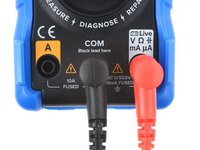
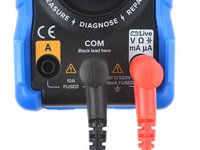
    • Plug the black probe into the COM port on your multimeter.

    • Plug the red probe into the port labeled with a V symbol (in this case, the right port).

    Спросите у FixBot
  3. How To Use A Multimeter: шаг 3, изображение 1 из 1
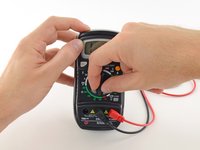
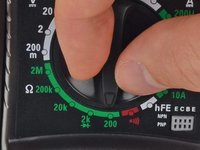
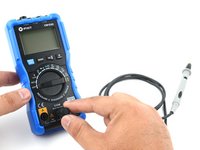
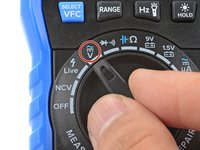
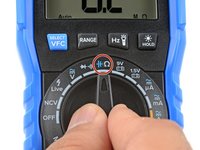
    • Switch on your multimeter, and set the dial to continuity mode (indicated by an icon that looks like a sound wave).

    • Not all multimeters have a dedicated continuity mode. If yours doesn’t, that’s okay! Skip to step 6 for an alternate way to perform a continuity test.

    Спросите у FixBot
  4. How To Use A Multimeter: шаг 4, изображение 1 из 2 How To Use A Multimeter: шаг 4, изображение 2 из 2
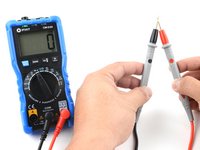
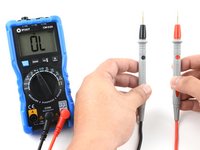
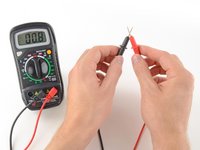
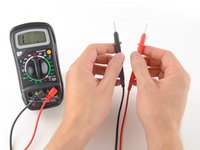
    • The multimeter tests continuity by sending a little current through one probe, and checking whether the other probe receives it.

    • If the probes are connected—either by a continuous circuit, or by touching each other directly—the test current flows through. The screen displays a value of zero (or near zero), and the multimeter beeps. Continuity!

    • If the test current isn't detected, it means there's no continuity. The screen will display 1 or OL (open loop).

    Спросите у FixBot
  5. How To Use A Multimeter: шаг 5, изображение 1 из 2 How To Use A Multimeter: шаг 5, изображение 2 из 2
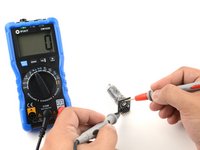
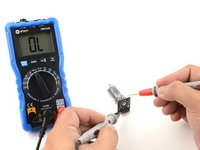
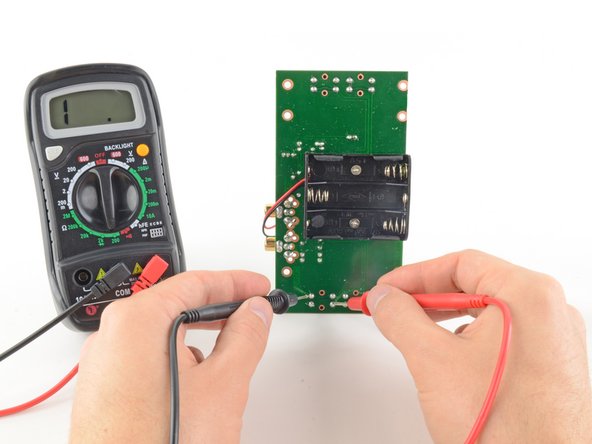
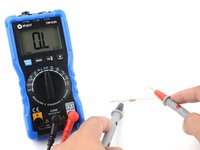
    • To complete your continuity test, place one probe at each end of the circuit or component you want to test.

    • As before, if your circuit is continuous, the screen displays a value of zero (or near zero), and the multimeter beeps.

    • If the screen displays 1 or OL (open loop), there's no continuity—that is, there's no path for electric current to flow from one probe to the other.

    • Continuity is non-directional, meaning it doesn't matter which probe goes where. But there are exceptions—for instance, if there's a diode in your circuit. A diode is like a one-way valve for electricity, meaning it will show continuity in one direction, but not in the other.

    • To check for this, reverse what the probes are touching and check for continuity. If the multimeter shows continuity, then it's possibly a diode.

    Спросите у FixBot
  6. How To Use A Multimeter, Test for continuity (alternate method): шаг 6, изображение 1 из 2 How To Use A Multimeter, Test for continuity (alternate method): шаг 6, изображение 2 из 2
    • If your multimeter doesn't have a dedicated continuity test mode, you can still perform a continuity test.

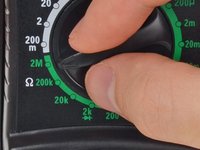
    • Turn the dial to the resistance mode.

    • If your multimeter has manual ranging, set the resistance to the lowest setting.

    • Resistance is measured in ohms, indicated by the symbol Ω.

    Спросите у FixBot
  7. How To Use A Multimeter: шаг 7, изображение 1 из 2 How To Use A Multimeter: шаг 7, изображение 2 из 2
    • In this mode, the multimeter sends a little current through one probe, and measures what (if anything) is received by the other probe.

    • If the probes are connected—either by a continuous circuit, or by touching each other directly—the test current flows through. The screen displays a value of zero (or near zero—in this case, 0.8). Very low resistance is another way of saying that we have continuity.

    • If no current is detected, it means there's no continuity. The screen will display 1 or OL (open loop).

    Спросите у FixBot
  8. How To Use A Multimeter: шаг 8, изображение 1 из 2 How To Use A Multimeter: шаг 8, изображение 2 из 2
    • To complete your continuity test, place one probe at each end of the circuit or component you want to test.

    • It doesn't matter which probe goes where; continuity is non-directional.

    • As before, if your circuit is continuous, the screen displays a value of zero (or near zero).

    • If the screen displays 1 or OL (open loop), there's no continuity—that is, there's no path for electric current to flow from one probe to the other.

    Спросите у FixBot
  9. How To Use A Multimeter, Measuring voltage: шаг 9, изображение 1 из 3 How To Use A Multimeter, Measuring voltage: шаг 9, изображение 2 из 3 How To Use A Multimeter, Measuring voltage: шаг 9, изображение 3 из 3
    • The next four steps will show you how to measure voltage.

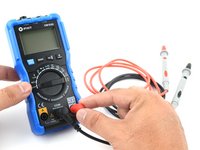
    • Plug the black probe into the COM port on your multimeter.

    • Plug the red probe into the port labeled with a V symbol (in this case, the right port).

    Спросите у FixBot
  10. How To Use A Multimeter: шаг 10, изображение 1 из 2 How To Use A Multimeter: шаг 10, изображение 2 из 2
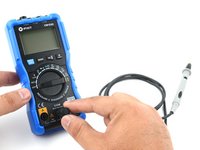
    • Switch on your multimeter, and set the dial to DC voltage mode (indicated by a V with a straight line, or the symbol ⎓).

    • Virtually all consumer electronic devices run on DC voltage. AC voltage—the kind that runs through the lines to your house—is considerably more dangerous, and beyond the scope of this guide.

    • Your multimeter may be auto-ranging or manual ranging. An auto-ranging multimeter (such as the iFixit multimeter) will automatically determine the best measuring range. All you have to do is set what kind of measurement you want to take.

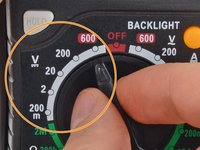
    • If your multimeter is manual ranging, you'll also need to set the correct range for the voltage you expect to measure.

    • Each setting on the dial lists the maximum voltage it can measure. So for example, if you expect to measure more than 2 volts but less than 20, use the 20 volt setting.

    • If you're not sure, start with the highest setting.

    Спросите у FixBot
  11. How To Use A Multimeter, Auto-ranging voltage measurement: шаг 11, изображение 1 из 2 How To Use A Multimeter, Auto-ranging voltage measurement: шаг 11, изображение 2 из 2
    • If your multimeter is manual ranging, skip to the next step.

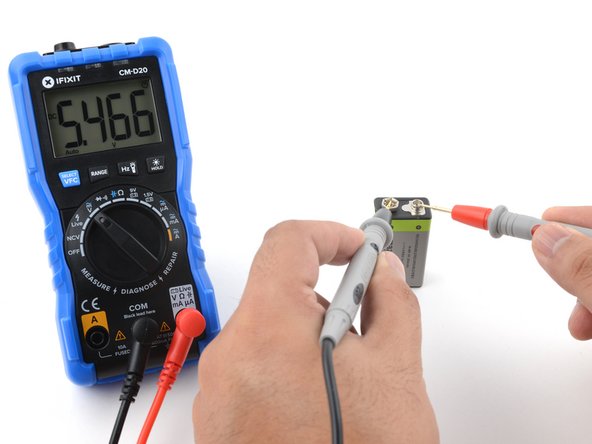
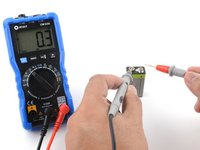
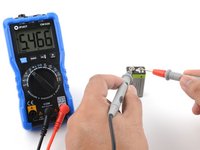
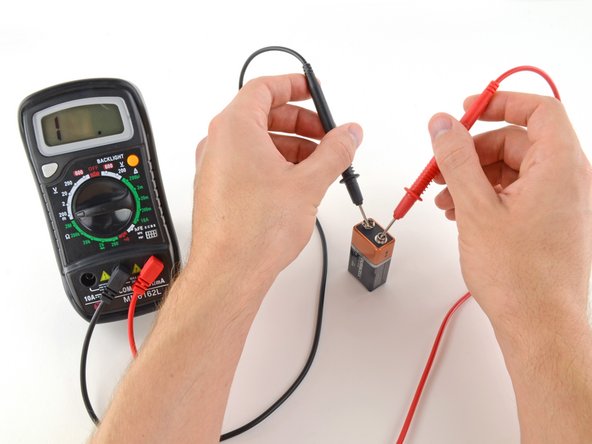
    • Place the red probe on the positive terminal, and the black probe on the negative terminal. The multimeter will display the measured voltage.

    • Reversing the probes won't do any harm; it just gives a negative reading.

    • Skip the next step, which describes how to measure voltage using manual ranging multimeters.

    Спросите у FixBot
  12. How To Use A Multimeter, Manual ranging voltage measurement: шаг 12, изображение 1 из 3 How To Use A Multimeter, Manual ranging voltage measurement: шаг 12, изображение 2 из 3 How To Use A Multimeter, Manual ranging voltage measurement: шаг 12, изображение 3 из 3
    • Follow this step to measure voltage with a manual ranging multimeter.

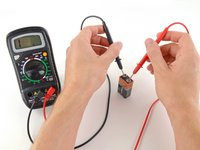
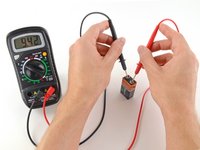
    • Place the red probe on the positive terminal, and the black probe on the negative terminal.

    • If your range was set too high, you may not get a very precise reading. Here the multimeter reads 9 volts. That's fine, but we can turn the dial to a lower range to get a more precise.

    • If you set the range too low, the multimeter simply reads 1 or OL, indicating that it is overloaded or out of range. This won't hurt the multimeter, but we need to set the dial to a higher range.

    • With the range set correctly, we get a reading of 9.42 volts.

    • Reversing the probes won't do any harm; it just gives us a negative reading.

    Спросите у FixBot
  13. How To Use A Multimeter, Measuring resistance: шаг 13, изображение 1 из 3 How To Use A Multimeter, Measuring resistance: шаг 13, изображение 2 из 3 How To Use A Multimeter, Measuring resistance: шаг 13, изображение 3 из 3
    • The next three steps will show you how to measure resistance with your multimeter.

    • To begin, make sure no current is running through the circuit or component you want to measure. Switch it off, unplug it from the wall, and remove any batteries.

    • Remember that you'll be measuring the resistance of the entire circuit. If you want to measure an individual component such as a resistor, measure it by itself—not with it soldered in place!

    • Plug the black probe into the COM port on your multimeter.

    • Plug the red probe into the port labeled with an Ω symbol (in this case, the right port).

    Спросите у FixBot
  14. How To Use A Multimeter: шаг 14, изображение 1 из 2 How To Use A Multimeter: шаг 14, изображение 2 из 2
    • Switch on your multimeter, and set the dial to resistance mode.

    • Resistance is measured in ohms, indicated by the Ω symbol.

    • The iFixit multimeter is auto-ranging, meaning it will automatically determine the best measuring range.

    • If your multimeter is manual ranging, you will need to set the correct range for the resistance you expect to measure. If you're not sure, start with the highest setting.

    Спросите у FixBot
  15. How To Use A Multimeter: шаг 15, изображение 1 из 2 How To Use A Multimeter: шаг 15, изображение 2 из 2
    • Place one probe at each end of the circuit or component you want to measure.

    • It doesn't matter which probe goes where; resistance is non-directional.

    • If your multimeter is manual ranging:

    • If your multimeter reads close to zero, the range is set too high for a good measurement. Turn the dial to a lower resistance range.

    • If you set the range too low, the multimeter simply reads 1 or OL, indicating that it is overloaded or out of range. This won't hurt the multimeter, but we need to set the dial to a higher range.

    • The other possibility is that the circuit or component you are measuring doesn't have continuity—that is, it has infinite resistance. A non continuous circuit will always read 1 or OL on a resistance test.

    Спросите у FixBot
Финишная прямая

1137 человек успешно провели ремонт по этому руководству.

Jeff Suovanen

Участник с: 08/06/13

452 675 Репутация

Автор 259 руководств

Команда

iFixit Участник iFixit

Staff

122 членов

Автор 25 805 руководств

149 Комментарии к руководству

EASy and helpful indeed

Trever Mazibuko - Ответить Поделиться
Thank you! Never find instructions so easy to follow.

kuruvar - Ответить Поделиться

Iwant to know hw to test caperstas

kapambwe sikazwe - Ответить Поделиться

Great stuff!! Thank you.

warwick - Ответить Поделиться

Super guide, many thanks for posting!

Alan - Ответить Поделиться

Добавить комментарий

Статистика просмотров:

За последние 24 часов: 112

За последние 7 дней: 812

За последние 30 дней: 4,179

За всё время: 1,777,738