Перейти к основному содержанию
Присоединяйся к сообществу ремонтников - Создай аккаунт

Samsung Galaxy Note10+ Rear Camera Module Replacement

Выберете то, что вам нужно

  1. Samsung Galaxy Note10+ Rear Camera Module Replacement, Remove the SIM card: шаг 1, изображение 1 из 3 Samsung Galaxy Note10+ Rear Camera Module Replacement, Remove the SIM card: шаг 1, изображение 2 из 3 Samsung Galaxy Note10+ Rear Camera Module Replacement, Remove the SIM card: шаг 1, изображение 3 из 3
    • Insert a SIM eject tool, bit, or a straightened paper clip into the small hole on the SIM card tray on the top edge of the phone.

    • Press firmly to eject the tray.

    • Remove the SIM card tray.

    Спросите у FixBot

    Добавить комментарий

  2. Samsung Galaxy Note10+ Rear Camera Module Replacement, Heat the rear cover: шаг 2, изображение 1 из 1
    • Completely power off your phone before you begin disassembly.

    • Prepare an iOpener and apply it to the left edge of the rear cover for one minute.

    • A hair dryer, heat gun, or hot plate may also be used, but be careful not to overheat the phone—the display and internal battery are both susceptible to heat damage.

    Спросите у FixBot

    Добавить комментарий

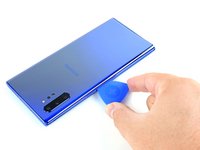
  3. Samsung Galaxy Note10+ Rear Camera Module Replacement, Insert an opening pick: шаг 3, изображение 1 из 3 Samsung Galaxy Note10+ Rear Camera Module Replacement, Insert an opening pick: шаг 3, изображение 2 из 3 Samsung Galaxy Note10+ Rear Camera Module Replacement, Insert an opening pick: шаг 3, изображение 3 из 3
    • Apply a suction cup to the heated edge of the rear cover, as close to the edge as possible.

    • If your rear cover is badly cracked, covering it with a layer of clear packing tape may allow the suction cup to adhere. Alternatively, very strong tape may be used instead of the suction cup. If all else fails, you can superglue the suction cup to the broken cover.

    • Pull up on the suction cup with strong, steady force to create a gap between the rear cover and the frame.

    • Depending on the age of your phone, this may be difficult. If you are having trouble, apply more heat to the edge and try again.

    • Insert the point of an opening pick into the gap.

    Спросите у FixBot

    Добавить комментарий

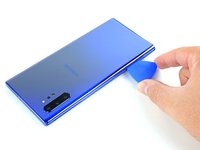
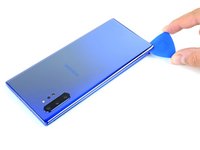
  4. Samsung Galaxy Note10+ Rear Camera Module Replacement, Begin to slice the adhesive: шаг 4, изображение 1 из 3 Samsung Galaxy Note10+ Rear Camera Module Replacement, Begin to slice the adhesive: шаг 4, изображение 2 из 3 Samsung Galaxy Note10+ Rear Camera Module Replacement, Begin to slice the adhesive: шаг 4, изображение 3 из 3
    • Slide the opening pick along the left edge towards the bottom left corner to slice the adhesive.

    • Don't insert the opening pick more than halfway into the phone or you risk damaging internal components.

    • Leave the pick inserted in the bottom left corner to prevent the adhesive from re-sealing.

    Спросите у FixBot

    Добавить комментарий

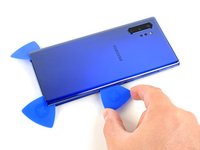
  5. Samsung Galaxy Note10+ Rear Camera Module Replacement, Slice around the perimeter of the phone: шаг 5, изображение 1 из 3 Samsung Galaxy Note10+ Rear Camera Module Replacement, Slice around the perimeter of the phone: шаг 5, изображение 2 из 3 Samsung Galaxy Note10+ Rear Camera Module Replacement, Slice around the perimeter of the phone: шаг 5, изображение 3 из 3
    • Repeat the previous heating and cutting procedure for the remaining three sides of the phone.

    • Leave an opening pick on each side as you continue to the next to prevent the adhesive from resealing.

    • The rear cover will begin to separate from the phone as you finish all sides of the phone.

    Спросите у FixBot

    Добавить комментарий

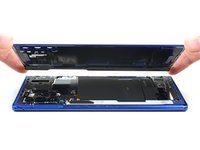
  6. Samsung Galaxy Note10+ Rear Camera Module Replacement, Lift off the rear cover: шаг 6, изображение 1 из 2 Samsung Galaxy Note10+ Rear Camera Module Replacement, Lift off the rear cover: шаг 6, изображение 2 из 2
    • Lift the rear cover straight up to remove it.

    • Follow this guide to reinstall the rear cover and replace the adhesive.

    • Be sure to turn on your device and test your repair before installing new adhesive and resealing the device.

    • If you're using Tesa tape to reattach components, follow this guide.

    Спросите у FixBot

    Добавить комментарий

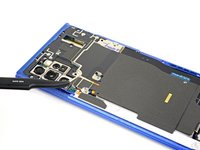
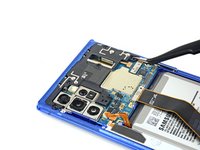
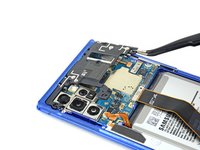
  7. Samsung Galaxy Note10+ Rear Camera Module Replacement, Lift up the metal cover: шаг 7, изображение 1 из 1
    • Use a Phillips screwdriver to remove the five 4 mm screws securing the wireless charging coil.

    Спросите у FixBot

    Добавить комментарий

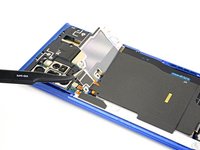
  8. Samsung Galaxy Note10+ Rear Camera Module Replacement: шаг 8, изображение 1 из 3 Samsung Galaxy Note10+ Rear Camera Module Replacement: шаг 8, изображение 2 из 3 Samsung Galaxy Note10+ Rear Camera Module Replacement: шаг 8, изображение 3 из 3
    Инструмент, используемый на этом этапе:
    Tweezers
    $4.99
    • Use a pair of tweezers to lift up and flip back the metal shield covering the battery connector.

    Спросите у FixBot

    Добавить комментарий

  9. Samsung Galaxy Note10+ Rear Camera Module Replacement, Disconnect the battery: шаг 9, изображение 1 из 2 Samsung Galaxy Note10+ Rear Camera Module Replacement, Disconnect the battery: шаг 9, изображение 2 из 2
    • While holding the metal shield up and out of the way, use the pointed end of a spudger to pry up the battery connector to disconnect it.

    Спросите у FixBot

    Добавить комментарий

  10. Samsung Galaxy Note10+ Rear Camera Module Replacement, Disconnect the wireless charging coil: шаг 10, изображение 1 из 2 Samsung Galaxy Note10+ Rear Camera Module Replacement, Disconnect the wireless charging coil: шаг 10, изображение 2 из 2
    • Use the pointed end of a spudger to disconnect the wireless charging coil connector from the motherboard.

    Спросите у FixBot

    Добавить комментарий

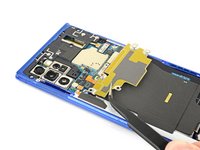
  11. Samsung Galaxy Note10+ Rear Camera Module Replacement, Remove the wireless charging coil: шаг 11, изображение 1 из 3 Samsung Galaxy Note10+ Rear Camera Module Replacement, Remove the wireless charging coil: шаг 11, изображение 2 из 3 Samsung Galaxy Note10+ Rear Camera Module Replacement, Remove the wireless charging coil: шаг 11, изображение 3 из 3
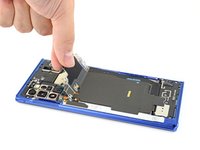
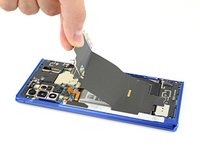
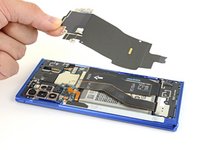
    • Tilt the metal shielding up so you can grip it with your fingers.

    • Peel the wireless charging coil up and away from the device.

    • The wireless charging coil is secured to the phone with some light adhesive.

    • Remove the wireless charging coil.

    Спросите у FixBot

    Добавить комментарий

  12. Samsung Galaxy Note10+ Rear Camera Module Replacement, Remove the loudspeaker screws: шаг 12, изображение 1 из 1
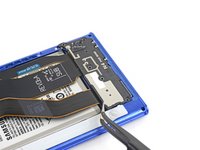
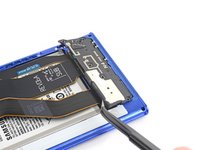
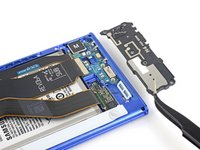
    • Use a Phillips screwdriver to remove the five 4 mm screws securing the loudspeaker.

    Спросите у FixBot

    Добавить комментарий

  13. Samsung Galaxy Note10+ Rear Camera Module Replacement, Remove the loudspeaker: шаг 13, изображение 1 из 3 Samsung Galaxy Note10+ Rear Camera Module Replacement, Remove the loudspeaker: шаг 13, изображение 2 из 3 Samsung Galaxy Note10+ Rear Camera Module Replacement, Remove the loudspeaker: шаг 13, изображение 3 из 3
    Инструмент, используемый на этом этапе:
    Tweezers
    $4.99
    • Use a pair of tweezers to remove the loudspeaker.

    Спросите у FixBot

    Добавить комментарий

  14. Samsung Galaxy Note10+ Rear Camera Module Replacement, Remove the interconnect cables: шаг 14, изображение 1 из 3 Samsung Galaxy Note10+ Rear Camera Module Replacement, Remove the interconnect cables: шаг 14, изображение 2 из 3 Samsung Galaxy Note10+ Rear Camera Module Replacement, Remove the interconnect cables: шаг 14, изображение 3 из 3
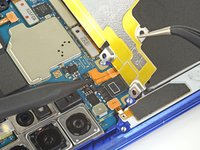
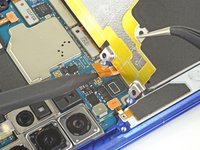
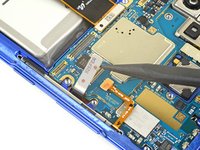
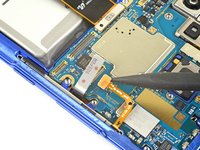
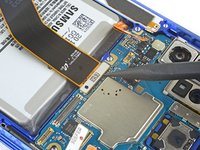
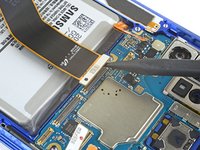
    • Use the pointed end of a spudger to disconnect the main interconnect cable from the motherboard.

    • Disconnect the secondary interconnect cable from the motherboard.

    Спросите у FixBot

    Добавить комментарий

  15. Samsung Galaxy Note10+ Rear Camera Module Replacement: шаг 15, изображение 1 из 3 Samsung Galaxy Note10+ Rear Camera Module Replacement: шаг 15, изображение 2 из 3 Samsung Galaxy Note10+ Rear Camera Module Replacement: шаг 15, изображение 3 из 3
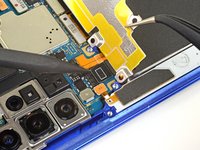
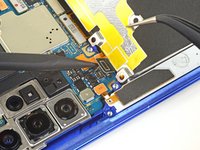
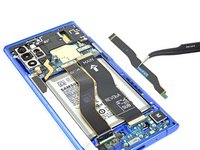
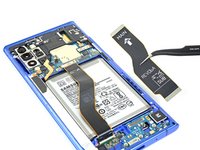
    • Use the pointed end of a spudger to disconnect the main interconnect cable from the daughterboard.

    • Disconnect the secondary interconnect cable from the daughterboard.

    Спросите у FixBot

    Добавить комментарий

  16. Samsung Galaxy Note10+ Rear Camera Module Replacement: шаг 16, изображение 1 из 2 Samsung Galaxy Note10+ Rear Camera Module Replacement: шаг 16, изображение 2 из 2
    • Remove both interconnect cables.

    Спросите у FixBot

    Добавить комментарий

  17. Samsung Galaxy Note10+ Rear Camera Module Replacement, Remove the top plastic cover: шаг 17, изображение 1 из 1
    • Use a Phillips screwdriver to remove the four 4 mm screws securing the top plastic cover.

    Спросите у FixBot

    Добавить комментарий

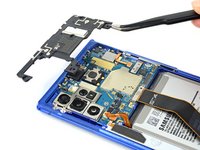
  18. Samsung Galaxy Note10+ Rear Camera Module Replacement: шаг 18, изображение 1 из 3 Samsung Galaxy Note10+ Rear Camera Module Replacement: шаг 18, изображение 2 из 3 Samsung Galaxy Note10+ Rear Camera Module Replacement: шаг 18, изображение 3 из 3
    Инструмент, используемый на этом этапе:
    Tweezers
    $4.99
    • Use a pair of tweezers to pivot the top plastic cover up and off of the phone.

    Спросите у FixBot

    Добавить комментарий

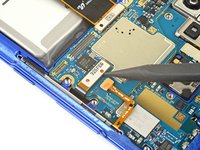
  19. Samsung Galaxy Note10+ Rear Camera Module Replacement, Disconnect motherboard connectors: шаг 19, изображение 1 из 3 Samsung Galaxy Note10+ Rear Camera Module Replacement, Disconnect motherboard connectors: шаг 19, изображение 2 из 3 Samsung Galaxy Note10+ Rear Camera Module Replacement, Disconnect motherboard connectors: шаг 19, изображение 3 из 3
    • Use the pointed end of a spudger to disconnect the touch layer connector from the motherboard.

    • Disconnect the side button connector from the motherboard.

    Спросите у FixBot

    Добавить комментарий

  20. Samsung Galaxy Note10+ Rear Camera Module Replacement: шаг 20, изображение 1 из 2 Samsung Galaxy Note10+ Rear Camera Module Replacement: шаг 20, изображение 2 из 2
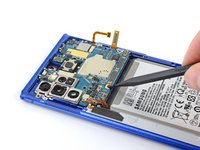
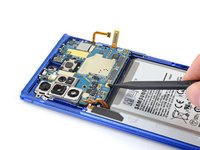
    • Use the pointed end of a spudger to disconnect the S-Pen charging coil connector from the motherboard.

    Спросите у FixBot

    Добавить комментарий

  21. Samsung Galaxy Note10+ Rear Camera Module Replacement: шаг 21, изображение 1 из 2 Samsung Galaxy Note10+ Rear Camera Module Replacement: шаг 21, изображение 2 из 2
    • Use the pointed end of a spudger to disconnect the display cable from the motherboard.

    Спросите у FixBot

    Добавить комментарий

  22. Samsung Galaxy Note10+ Rear Camera Module Replacement, Remove the motherboard: шаг 22, изображение 1 из 3 Samsung Galaxy Note10+ Rear Camera Module Replacement, Remove the motherboard: шаг 22, изображение 2 из 3 Samsung Galaxy Note10+ Rear Camera Module Replacement, Remove the motherboard: шаг 22, изображение 3 из 3
    • Use the pointed end of a spudger to pry up the motherboard enough to grip it with your fingers.

    • Remove the motherboard.

    Спросите у FixBot

    Добавить комментарий

  23. Samsung Galaxy Note10+ Rear Camera Module Replacement, Disconnect the rear camera module: шаг 23, изображение 1 из 3 Samsung Galaxy Note10+ Rear Camera Module Replacement, Disconnect the rear camera module: шаг 23, изображение 2 из 3 Samsung Galaxy Note10+ Rear Camera Module Replacement, Disconnect the rear camera module: шаг 23, изображение 3 из 3
    Инструмент, используемый на этом этапе:
    Tweezers
    $4.99
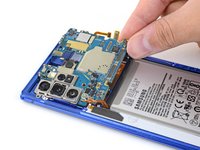
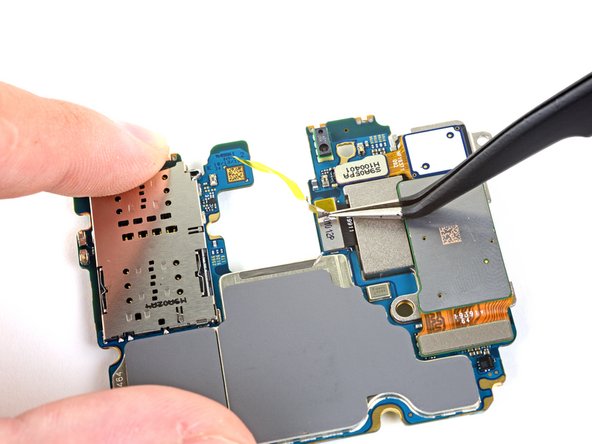
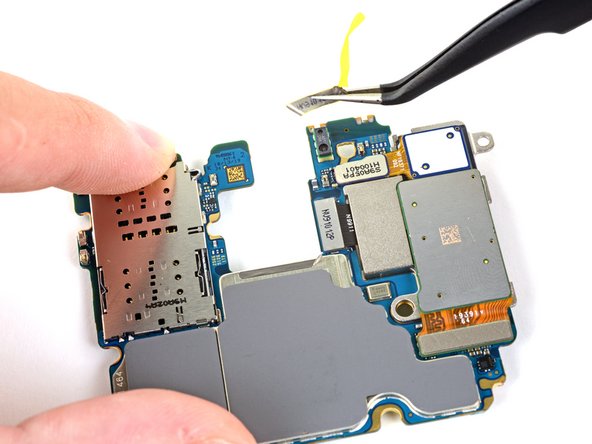
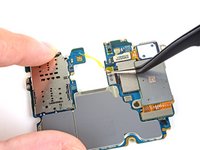
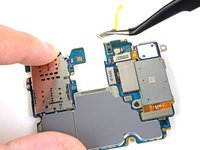
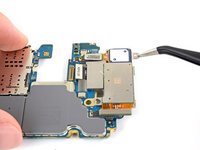
    • Use a pair of tweezers to remove the small piece of tape covering the middle camera connector.

    Спросите у FixBot

    Добавить комментарий

  24. Samsung Galaxy Note10+ Rear Camera Module Replacement: шаг 24, изображение 1 из 3 Samsung Galaxy Note10+ Rear Camera Module Replacement: шаг 24, изображение 2 из 3 Samsung Galaxy Note10+ Rear Camera Module Replacement: шаг 24, изображение 3 из 3
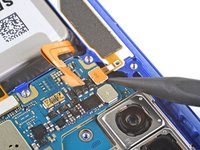
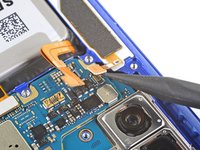
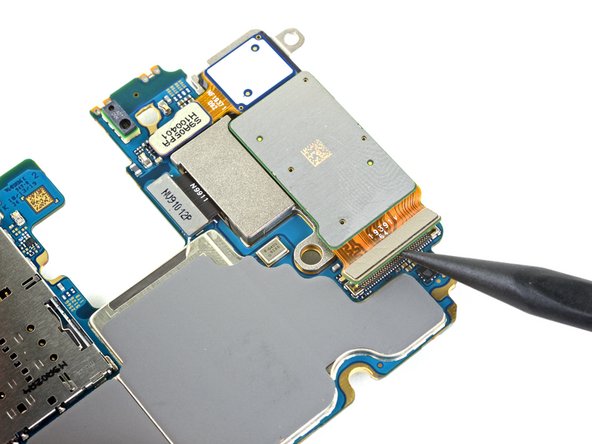
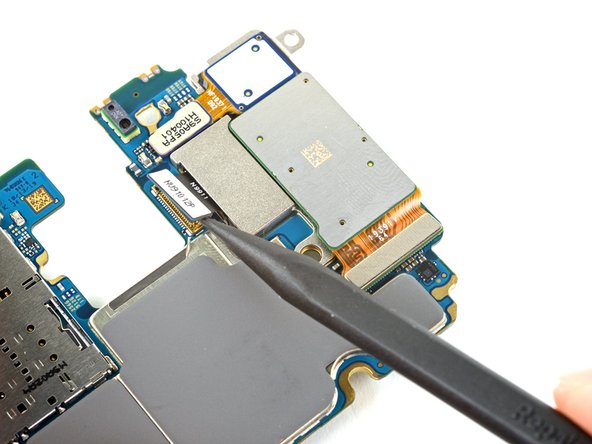
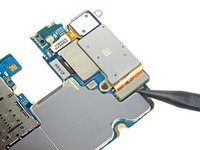
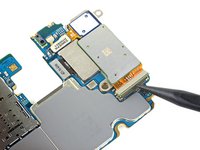
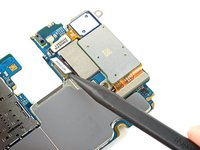
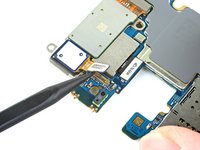
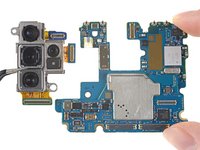
    • Use the pointed end of a spudger to disconnect the bottom camera connector.

    • Disconnect the middle camera connector.

    Спросите у FixBot

    Добавить комментарий

  25. Samsung Galaxy Note10+ Rear Camera Module Replacement: шаг 25, изображение 1 из 2 Samsung Galaxy Note10+ Rear Camera Module Replacement: шаг 25, изображение 2 из 2
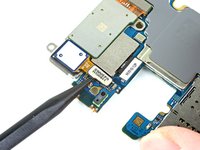
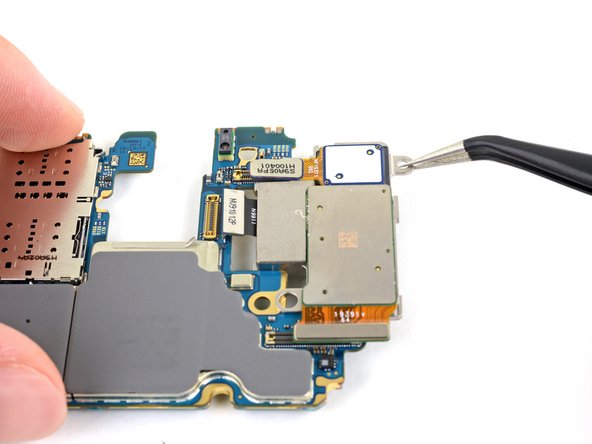
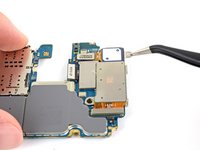
    • Use the pointed end of a spudger to disconnect the top camera connector.

    Спросите у FixBot

    Добавить комментарий

  26. Samsung Galaxy Note10+ Rear Camera Module Replacement, Remove the rear camera module: шаг 26, изображение 1 из 3 Samsung Galaxy Note10+ Rear Camera Module Replacement, Remove the rear camera module: шаг 26, изображение 2 из 3 Samsung Galaxy Note10+ Rear Camera Module Replacement, Remove the rear camera module: шаг 26, изображение 3 из 3
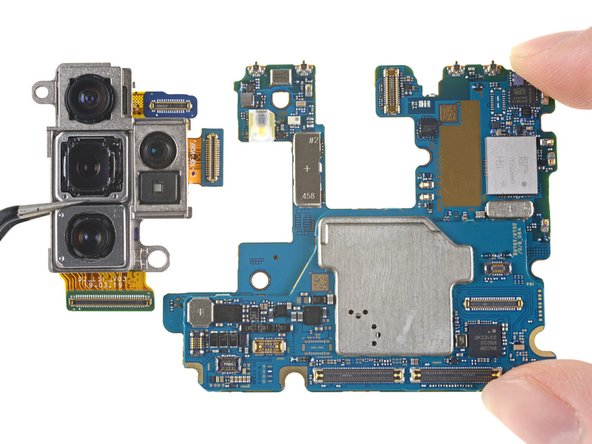
    • Use a pair of tweezers or your fingers to remove the rear camera module.

    Спросите у FixBot

    Добавить комментарий

Заключение

Compare your new replacement part to the original part—you may need to transfer remaining components or remove adhesive backings from the new part before installing.

To reassemble your device, follow the above steps in reverse order.

Take your e-waste to an R2 or e-Stewards certified recycler.

Repair didn’t go as planned? Try some basic troubleshooting, or ask our Answers community for help.

Отменить: Я не выполнил это руководство.

3 человек успешно провели ремонт по этому руководству.

Carsten Frauenheim

Участник с: 03/10/20

165 826 Репутация

Автор 439 руководств

Команда

iFixit Участник iFixit

Staff

122 членов

Автор 26 053 руководств

0 Комментарии к руководству

Добавить комментарий

Статистика просмотров:

За последние 24 часов: 3

За последние 7 дней: 15

За последние 30 дней: 93

За всё время: 5,329