
Toshiba Satellite A210 Keyboard Replacement

Youlen и
Последнее обновление 15 янв 2026 г.
Просмотров: 3,4 тыс.
Просмотр статистики:
- За последние 24 часа:
- 4
- За последние 7 дней:
- 23
- За последние 30 дней:
- 87
- За все время:
- 3 389
Комментарии: 1
1 комментарий к инструкции.
Перейти к комментариям инструкцииЗавершено: 3 4
3 пользователей отметили эту инстркукцию как "завершенное". Вы будете следующим?
4 пользователей отметили эту инструкцию как "завершенное". В том числе и Вы — отличная работа!
Избранные: 0 1
Никто не добавил эту инструкцию в избранное (и не подписался на нее). Будете ли Вы первым?
1 человек поставил лайк на эту инструкцию (и подписался на нее) — и это Вы!
Нужно больше изображений
Еще несколько изображений сделают процедуры, описанные в этом руководстве, предельно ясными.
Введение
Перейти к шагу 1 ↓In this guide you will learn how to remove a keyboard safely. Before you begin this guide you should have all required materials and tools necessary to properly remove the keyboard.
Выберете то, что Вам нужно
Инструменты

-
-
-
Slide the battery lock tab away from the center of the laptop to unlock the battery.
 Спросите у FixBot
-
-
-
Slide the battery release tab away from the center of the laptop and hold it.
-
Lifting from the small notch between the two tabs, pull the battery out of the laptop.
-
-
-
-
-
-
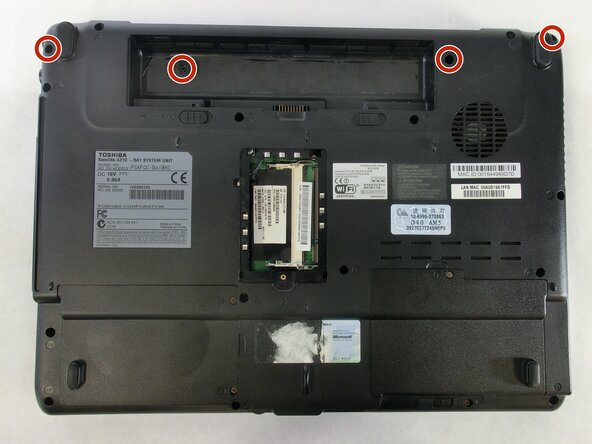
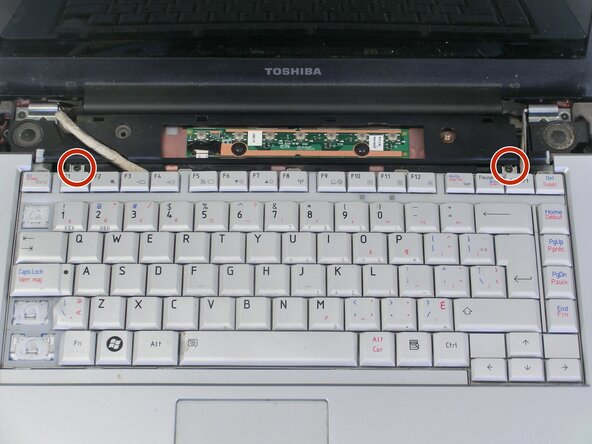
Unscrew the 4 highlighted screws with a PH1 screwdriver.
-
-
-
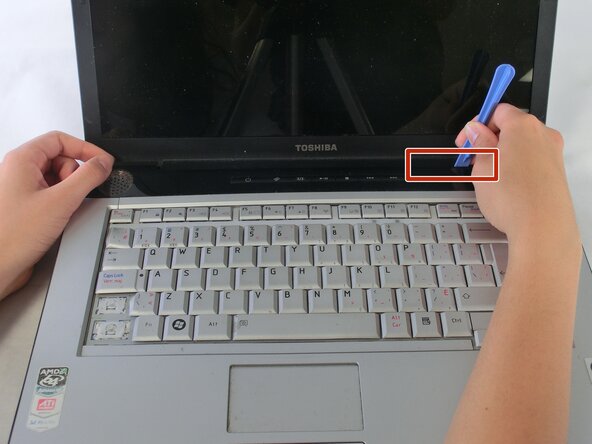
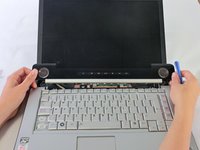
Orient the laptop so that the screen is open and facing you.
-
Slide the plastic opening tool underneath the top edge of the black plastic insert.
-
Pull it off and set aside.
-
-
-
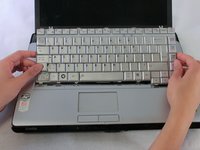
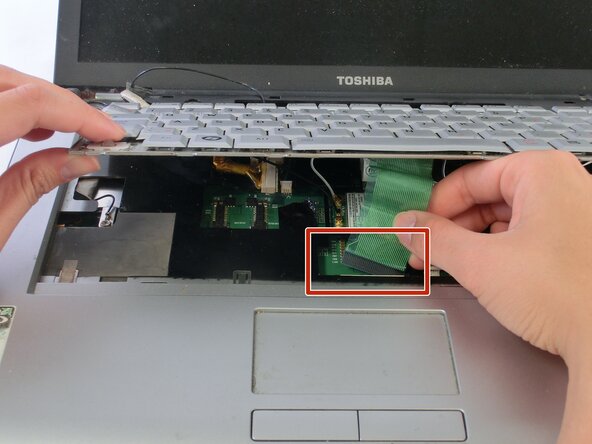
Disconnect the keyboard ribbon cable and remove the keyboard from the laptop.
-
-





To reassemble your device, follow these instructions in reverse order.
Отменить: Я не выполнил это руководство.
3 человек успешно провели ремонт по этому руководству.

Команду

Cal Poly, Team 17-5, Regan Spring 2013 Участник Cal Poly, Team 17-5, Regan Spring 2013
CPSU-REGAN-S13S17G5
4 членов
Автор 72 руководств
