
Перейти к основному содержанию
Присоединяйся к сообществу ремонтников - Создай аккаунт

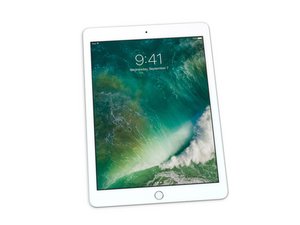
Руководства по ремонту, разборке и диагностике Apple iPad 5-го поколения с Wi-Fi, доступного с 32 или 128 ГБ встроенной памяти. Выпущен в марте 2017 года. Идентифицируется по номеру модели A1822. Оснащен 9,7-дюймовым дисплеем Retina и 64-битным процессором A9.

Charging socket not working

I bought the charging socket part to replace

I wanted to ask if there is anyone here who can explain how to change? Does it need soldering?

I would appreciate an answer

Thanks in advance

Изображение
Отвечено! Посмотреть ответ У меня та же проблема

Это хороший вопрос?

Счет 1
Добавить комментарий

1 ответ

Выбранное решение

The charging port seems to require SMD soldering with a heat gun or a hot plate from what I gather.

This is quite a complex procedure that requires soldering on the logic board, which is quite risky. If you do choose to fix it yourself, there are reference videos on Youtube for you to follow.

Был ли этот ответ полезен?

Счет 1

2 Комментариев:

@david56209

Can you get me a link to a YouTube video?

из

@elchanan1 https://www.youtube.com/watch?v=LbeuzkO5...

This one only includes the soldering part.

You will need to remove the logic board to access the solder pads for the Lightning port ribbon cable underneath it. You'll need to heat up the adhesives and be very gentle prying the digitizer and ribbon cables off.

This guide will take you up until that point:

Замена логической платы iPad 5 Wi-Fi

Don't hesitate to ask if you have any doubts about the process.

из

Добавить комментарий

Добавьте свой ответ

Elchanan Blumenfeld буду вечно благодарен.
Статистика просмотров:

За последние 24 часов: 1

За последние 7 дней: 5

За последние 30 дней: 28

За всё время: 318