Перейти к основному содержанию
Присоединяйся к сообществу ремонтников - Создай аккаунт

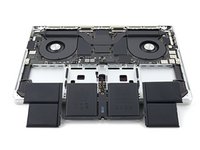
MacBook Pro 16" 2021 Battery Replacement

Выберете то, что вам нужно

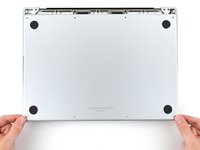
    1. MacBook Pro 16" 2021 Battery Replacement, Unfasten the lower case: шаг 1, изображение 1 из 2 MacBook Pro 16" 2021 Battery Replacement, Unfasten the lower case: шаг 1, изображение 2 из 2
      Инструмент, используемый на этом этапе:
      Magnetic Project Mat
      $19.95
      • Completely power off and unplug your MacBook Pro before you start. Close the display and flip the entire laptop upside-down.

      • Use a P5 Pentalobe driver to remove eight screws securing the lower case:

      • Four 9.1 mm screws

      • Four 5 mm screws

      • Throughout this repair, keep track of each screw and make sure it goes back exactly where it came from to avoid damaging your device.

      Спросите у FixBot

      Добавить комментарий

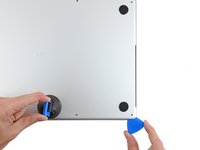
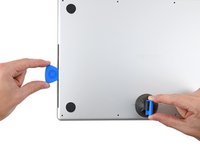
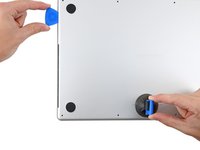
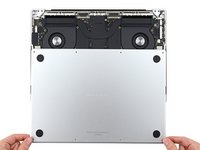
    2. MacBook Pro 16" 2021 Battery Replacement, Unclip the lower case: шаг 2, изображение 1 из 2 MacBook Pro 16" 2021 Battery Replacement, Unclip the lower case: шаг 2, изображение 2 из 2
      • Press a suction handle into place near the front edge of the lower case, between the screw holes.

      • Pull up on the suction handle to create a small gap under the lower case.

      Спросите у FixBot

      Добавить комментарий

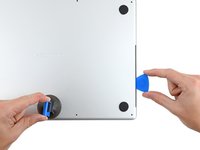
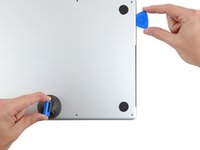
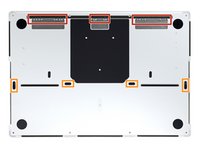
    3. MacBook Pro 16" 2021 Battery Replacement, Release the rear cover's right clips: шаг 3, изображение 1 из 3 MacBook Pro 16" 2021 Battery Replacement, Release the rear cover's right clips: шаг 3, изображение 2 из 3 MacBook Pro 16" 2021 Battery Replacement, Release the rear cover's right clips: шаг 3, изображение 3 из 3
      • Insert an opening pick into the gap you just created.

      • Slide the opening pick around the nearest corner and then halfway up the side of the MacBook Pro.

      • This releases the first of the hidden clips securing the lower case. You should feel and hear the clip pop free.

      Спросите у FixBot

      Добавить комментарий

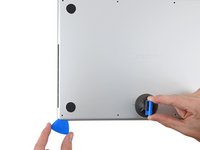
    4. MacBook Pro 16" 2021 Battery Replacement, Release the rear cover's left clips: шаг 4, изображение 1 из 3 MacBook Pro 16" 2021 Battery Replacement, Release the rear cover's left clips: шаг 4, изображение 2 из 3 MacBook Pro 16" 2021 Battery Replacement, Release the rear cover's left clips: шаг 4, изображение 3 из 3
      • Repeat the previous step on the other side, using an opening pick to to release the second clip.

      Спросите у FixBot

      Добавить комментарий

    5. MacBook Pro 16" 2021 Battery Replacement: шаг 5, изображение 1 из 3 MacBook Pro 16" 2021 Battery Replacement: шаг 5, изображение 2 из 3 MacBook Pro 16" 2021 Battery Replacement: шаг 5, изображение 3 из 3
      • Pull firmly to slide the lower case towards the front edge of the MacBook (away from the hinge area) to separate the last of the clips securing the lower case.

      • Pull first at one corner, then the other.

      • Pull to the side—not up.

      • This may require a lot of force.

      Спросите у FixBot

      Добавить комментарий

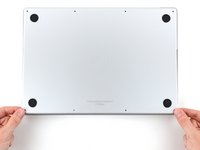
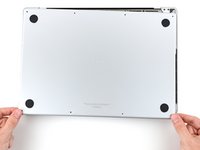
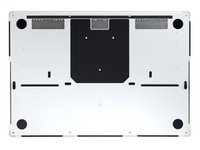
    6. MacBook Pro 16" 2021 Battery Replacement, Remove the lower case: шаг 6, изображение 1 из 3 MacBook Pro 16" 2021 Battery Replacement, Remove the lower case: шаг 6, изображение 2 из 3 MacBook Pro 16" 2021 Battery Replacement, Remove the lower case: шаг 6, изображение 3 из 3
      • Remove the lower case.

      • To reinstall the lower case:

      • Set it in place and align the sliding clips near the display hinge. Press down and slide the cover toward the hinge. It should stop sliding as the clips engage.

      • When the sliding clips are fully engaged and the lower case looks correctly aligned, press down firmly on the lower case to engage the four hidden clips underneath. You should feel and hear them snap into place.

      Спросите у FixBot

      Добавить комментарий

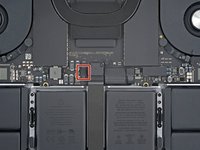
    1. MacBook Pro 16" 2021 Battery Replacement, Disconnect the battery board: шаг 7, изображение 1 из 3 MacBook Pro 16" 2021 Battery Replacement, Disconnect the battery board: шаг 7, изображение 2 из 3 MacBook Pro 16" 2021 Battery Replacement, Disconnect the battery board: шаг 7, изображение 3 из 3
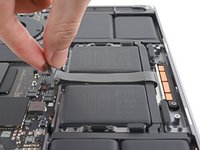
      • Peel back any tape covering the battery board data cable connector on the logic board.

      Спросите у FixBot

      Добавить комментарий

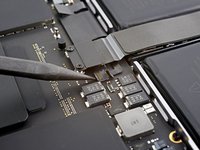
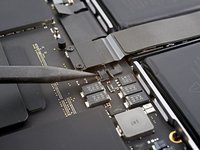
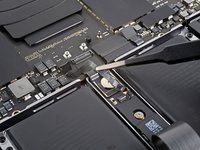
    2. MacBook Pro 16" 2021 Battery Replacement: шаг 8, изображение 1 из 2 MacBook Pro 16" 2021 Battery Replacement: шаг 8, изображение 2 из 2
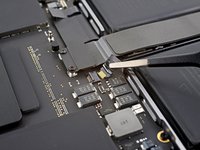
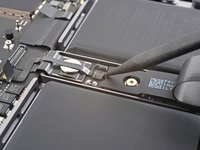
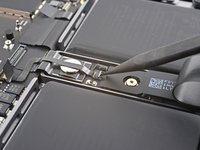
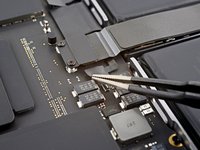
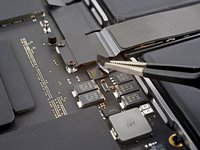
      • Use a spudger to gently pry up the locking flap on the ZIF connector for the battery board data cable.

      Спросите у FixBot

      Добавить комментарий

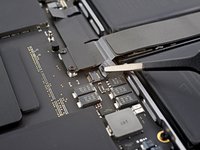
    3. MacBook Pro 16" 2021 Battery Replacement: шаг 9, изображение 1 из 2 MacBook Pro 16" 2021 Battery Replacement: шаг 9, изображение 2 из 2
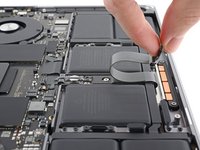
      • Disconnect the battery board data cable by sliding it out from its socket on the logic board.

      Спросите у FixBot

      Добавить комментарий

    4. MacBook Pro 16" 2021 Battery Replacement, Unfasten the trackpad cable bracket: шаг 10, изображение 1 из 1
      • Use a T3 Torx driver to remove the two 2.1 mm‑long screws securing the trackpad cable bracket to the logic board.

      Спросите у FixBot

      Добавить комментарий

    5. MacBook Pro 16" 2021 Battery Replacement, Remove the trackpad cable bracket: шаг 11, изображение 1 из 2 MacBook Pro 16" 2021 Battery Replacement, Remove the trackpad cable bracket: шаг 11, изображение 2 из 2
      Инструмент, используемый на этом этапе:
      Tweezers
      $4.99
      • Use tweezers, or your fingers, to remove the trackpad cable bracket.

      Спросите у FixBot

      Добавить комментарий

    6. MacBook Pro 16" 2021 Battery Replacement, Disconnect the trackpad cable: шаг 12, изображение 1 из 2 MacBook Pro 16" 2021 Battery Replacement, Disconnect the trackpad cable: шаг 12, изображение 2 из 2
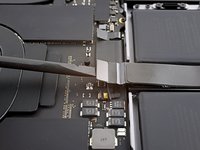
      • Use the flat end of a spudger to pry up and disconnect the trackpad cable's press connector from the logic board.

      • To re-attach press connectors like this one, carefully align and press down on one side until it clicks into place, then repeat on the other side. Do not press down on the middle. If the connector is misaligned, the pins can bend, causing permanent damage.

      Спросите у FixBot

      Добавить комментарий

    7. MacBook Pro 16" 2021 Battery Replacement, Reposition the trackpad cable: шаг 13, изображение 1 из 2 MacBook Pro 16" 2021 Battery Replacement, Reposition the trackpad cable: шаг 13, изображение 2 из 2
      • The trackpad cable is lightly adhered to the frame.

      • Peel the trackpad cable away from the device, making sure to separate the adhesive.

      Спросите у FixBot

      Добавить комментарий

    8. MacBook Pro 16" 2021 Battery Replacement, Disconnect the battery board: шаг 14, изображение 1 из 2 MacBook Pro 16" 2021 Battery Replacement, Disconnect the battery board: шаг 14, изображение 2 из 2
      • Peel back any tape covering the battery board data cable connector under the large pancake screw.

      Спросите у FixBot

      Добавить комментарий

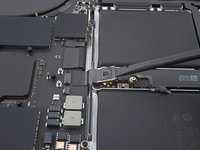
    9. MacBook Pro 16" 2021 Battery Replacement: шаг 15, изображение 1 из 2 MacBook Pro 16" 2021 Battery Replacement: шаг 15, изображение 2 из 2
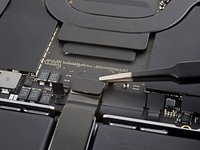
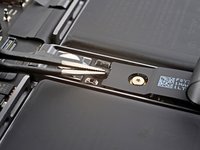
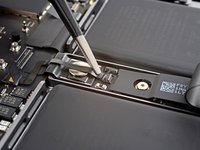
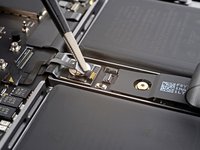
      • Use a spudger to gently pry up the locking flap on the ZIF connector for the battery board data cable.

      Спросите у FixBot

      Добавить комментарий

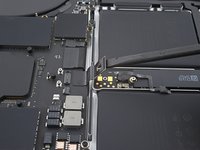
    10. MacBook Pro 16" 2021 Battery Replacement: шаг 16, изображение 1 из 2 MacBook Pro 16" 2021 Battery Replacement: шаг 16, изображение 2 из 2
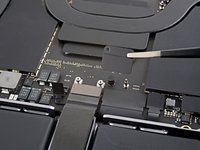
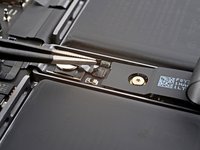
      • Disconnect the battery board data cable by sliding it out from its socket on the battery board.

      Спросите у FixBot

      Добавить комментарий

    11. MacBook Pro 16" 2021 Battery Replacement, Remove the data cable: шаг 17, изображение 1 из 2 MacBook Pro 16" 2021 Battery Replacement, Remove the data cable: шаг 17, изображение 2 из 2
      • The battery board data cable is lightly adhered to the device.

      • Slide blunt nose tweezers under areas with adhesive to separate the cable from the device.

      • Remove the battery board data cable.

      Спросите у FixBot

      Добавить комментарий

    12. MacBook Pro 16" 2021 Battery Replacement, Unfasten the battery connector: шаг 18, изображение 1 из 1
      • Use a T5 Torx driver to remove the 3.9 mm pancake screw securing the battery power connector.

      Спросите у FixBot

      Добавить комментарий

    13. MacBook Pro 16" 2021 Battery Replacement, Disconnect the battery connector: шаг 19, изображение 1 из 2 MacBook Pro 16" 2021 Battery Replacement, Disconnect the battery connector: шаг 19, изображение 2 из 2
      • Use a spudger to lift the battery power connector, disconnecting the battery.

      • Lift the connector high enough to keep it separated from its socket while you work. If it accidentally makes contact, it could damage your MacBook Pro.

      Спросите у FixBot

      Добавить комментарий

    1. MacBook Pro 16" 2021 Battery Replacement, Unfasten the trackpad: шаг 20, изображение 1 из 2 MacBook Pro 16" 2021 Battery Replacement, Unfasten the trackpad: шаг 20, изображение 2 из 2
      • Use a T5 Torx driver to remove the 13 screws securing the trackpad assembly:

      • Ten 5 mm screws

      • Three 5.8 mm screws

      • These screws all look similar—be careful not to mix them up.

      • Adding a little blue threadlocker to the screw threads during reassembly can help prevent the screws from working themselves loose over time.

      • Install the screws loosely at first, and then check the trackpad alignment before tightening them down.

      Спросите у FixBot

      Добавить комментарий

    2. MacBook Pro 16" 2021 Battery Replacement, Remove the trackpad: шаг 21, изображение 1 из 3 MacBook Pro 16" 2021 Battery Replacement, Remove the trackpad: шаг 21, изображение 2 из 3 MacBook Pro 16" 2021 Battery Replacement, Remove the trackpad: шаг 21, изображение 3 из 3
      • Swing the display open slightly, but keep the MacBook upside-down. The trackpad assembly should separate and lay flat on the display.

      • As you remove the trackpad assembly, be very careful not to lose the nine small metal washers resting on the screw posts. (They will fly off and get lost with very little provocation.)

      • Carefully feed the trackpad's ribbon cable through its slot in the frame.

      Спросите у FixBot

      Добавить комментарий

    3. MacBook Pro 16" 2021 Battery Replacement: шаг 22, изображение 1 из 1
      • Remove the trackpad assembly.

      Спросите у FixBot

      Добавить комментарий

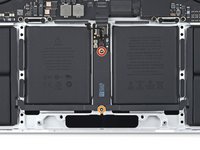
    1. MacBook Pro 16" 2021 Battery Replacement, Unfasten the battery board: шаг 23, изображение 1 из 2 MacBook Pro 16" 2021 Battery Replacement, Unfasten the battery board: шаг 23, изображение 2 из 2
      • Use a T5 Torx driver to remove the two screws securing the battery board:

      • One 4.4 mm screw

      • One 3.8 mm screw

      Спросите у FixBot

      Добавить комментарий

    2. MacBook Pro 16" 2021 Battery Replacement, Battery removal information: шаг 24, изображение 1 из 2 MacBook Pro 16" 2021 Battery Replacement, Battery removal information: шаг 24, изображение 2 из 2
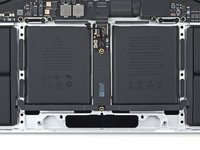
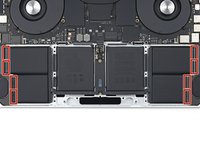
      • There are 14 total stretch release adhesive strips that secure the battery to the frame:

      • There are eight adhesive strips that are accessed from the bottom of the device.

      • There are six more adhesive strips accessed from the trackpad's location on the frame.

      Спросите у FixBot

      Добавить комментарий

    3. MacBook Pro 16" 2021 Battery Replacement, Remove the stretch release adhesive: шаг 25, изображение 1 из 1
      Инструмент, используемый на этом этапе:
      Tweezers
      $4.99
      • Use tweezers, or your fingers, to grasp the black pull-tab on one of the adhesive strips.

      Спросите у FixBot

      Добавить комментарий

    4. MacBook Pro 16" 2021 Battery Replacement: шаг 26, изображение 1 из 1
      • Pull the strip out slowly and steadily at a low angle. Give it plenty of time to stretch and un-stick from under the battery.

      • If the adhesive strip breaks off, try to retrieve it using your fingers or blunt tweezers, and continue pulling—but do not pry under the battery.

      • Repeat the process for all 14 stretch release adhesive strips.

      Спросите у FixBot

      Добавить комментарий

    5. MacBook Pro 16" 2021 Battery Replacement: шаг 27, изображение 1 из 2 MacBook Pro 16" 2021 Battery Replacement: шаг 27, изображение 2 из 2
      • Follow the next two steps if you weren't able to pull all the stretch-release adhesives.

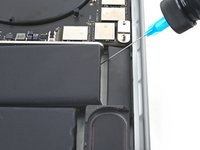
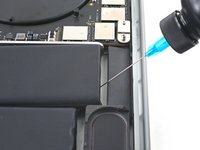
      • Take care not to puncture or bend the battery with your tool—a punctured or bent battery may leak dangerous chemicals or cause a fire. In case you're struggling to pull up the battery, apply more isopropyl alcohol and try again.

      • Apply a few drops of high concentration (over 90%) isopropyl alcohol to the gaps surrounding the affected area of the battery.

      • Be careful not to get an isopropyl alcohol near the speakers, as that will loosen them from the frame.

      • Wait between one to two minutes for the adhesive to loosen.

      Спросите у FixBot

      Добавить комментарий

    6. MacBook Pro 16" 2021 Battery Replacement: шаг 28, изображение 1 из 3 MacBook Pro 16" 2021 Battery Replacement: шаг 28, изображение 2 из 3 MacBook Pro 16" 2021 Battery Replacement: шаг 28, изображение 3 из 3
      Инструмент, используемый на этом этапе:
      Plastic Cards
      $2.99
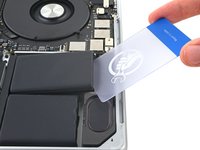
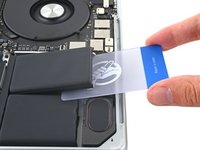
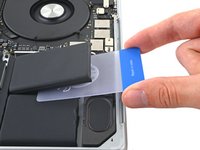
      • Insert a plastic card between the battery and the frame.

      • Pry up with the card while slicing the adhesive to separate the battery from the frame.

      Спросите у FixBot

      Добавить комментарий

    7. MacBook Pro 16" 2021 Battery Replacement, Remove the battery: шаг 29, изображение 1 из 3 MacBook Pro 16" 2021 Battery Replacement, Remove the battery: шаг 29, изображение 2 из 3 MacBook Pro 16" 2021 Battery Replacement, Remove the battery: шаг 29, изображение 3 из 3
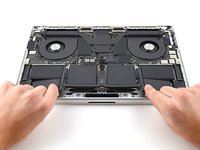
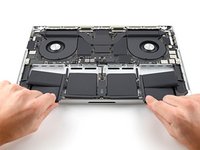
      • Slide the battery out of the frame to remove it.

      Спросите у FixBot

      Добавить комментарий

Заключение

To reassemble your device, follow these instructions in reverse order.

For optimal performance, calibrate your newly installed battery after completing this guide.

Compare your new replacement part to the original part—you may need to transfer remaining components or remove adhesive backings from the new part before you install it.

Take your e-waste to an R2 or e-Stewards certified recycler.

Repair didn’t go as planned? Try some basic troubleshooting, or ask our MacBook Pro 16" 2021 Answers community for help.

Отменить: Я не выполнил это руководство.

40 человек успешно провели ремонт по этому руководству.

Alex Diaz-Kokaisl

Участник с: 01/16/22

249 403 Репутация

Автор 1 203 руководств

Команда

iFixit Участник iFixit

Staff

122 членов

Автор 86 241 руководств

25 Комментарии к руководству

This is what I search for! Such a great guide!

Sehun Park - Ответить Поделиться
Where can I purchase a new battery for my MacBook Pro 16" 2021 laptop?

Mr. T - Ответить Поделиться
Hi there!

Unfortunately, we are not currently selling MacBook Pro 16" 2021 batteries. We are hoping to sell them sometime soon. You may want to consider checking with other retailers or online sources for the specific battery you need.

Alex Diaz-Kokaisl - Ответить Поделиться

Has anyone figured out where we can purchase new replacement batteries for this computer (MacBook Pro 16" 2021 Model # MK193LL/A)?

David - Ответить Поделиться
Why does step 22 talk about installing a new trackpad? That part left me confused.

Tad Garza - Ответить Поделиться

Добавить комментарий

Статистика просмотров:

За последние 24 часов: 81

За последние 7 дней: 704

За последние 30 дней: 2,869

За всё время: 106,776