Этот перевод был сделан машиной и пока не проверен человеком. Говорите на этом языке? Просмотрите его.
Введение
Следуйте этому руководству, чтобы снять и заменить радиатор на игровой консоли Nintendo Switch.
В Switch используются винты JIS. Лучше всего подходит отвертка JIS 00, но можно использовать и JIS 000. Если вы используете отвертку Phillips, вы рискуете сорвать шлицы винтов.
Примечание: При снятии защитной пластины вам нужно будет заменить термоинтерфейс между пластиной и радиатором. Обычная термопаста не предназначена для заполнения больших зазоров, поэтому вам понадобится термопрокладка или вязкая термопаста. Однако для центрального процессора вам потребуется обычная сменная термопаста.
Примечание: Это руководство, как и продаваемая нами запчасть, совместимо с оригинальной моделью Nintendo Switch, выпущенной в 2017 году, а также с более новой обновленной моделью, выпущенной в 2019 году (номера моделей HAC-001 и HAC-001(-01) соответственно).
Выберете то, что вам нужно
-
-
-
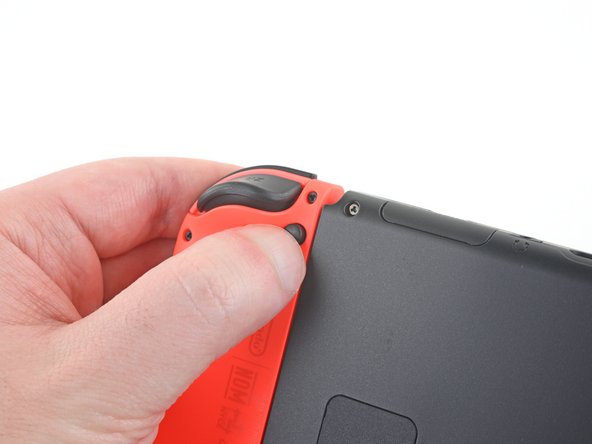
Нажмите и удерживайте маленькую круглую кнопку на задней стороне контроллера Joy Con.
-
Удерживая кнопку нажатой, сдвиньте контроллер вверх.
 Спросите у FixBot
-
-
-
Продолжайте сдвигать Joy-Con вверх, пока он полностью не отсоединится от консоли.
-
-
Инструмент, используемый на этом этапе:Magnetic Project Mat$19.95
-
Используйте отвертку Y00, чтобы выкрутить четыре винта длиной 6,3 мм, удерживающие заднюю панель.
-
-
-
Используйте отвертку JIS 00, чтобы выкрутить следующие винты, удерживающие заднюю панель:
-
Один винт длиной 2,5 мм на верхнем торце устройства
-
Два винта длиной 2,5 мм на нижнем торце устройства
-
-
-
Используйте отвертку JIS 00, чтобы выкрутить два винта длиной 3,8 мм, расположенных по бокам устройства (по одному с каждой стороны).
-
-
-
Откиньте подставку на задней панели устройства пальцем.
-
Если в слоте для карты microSD установлена карта microSD, извлеките её, прежде чем переходить к следующему шагу.
-
-
-
-
Используйте отвертку JIS 00, чтобы выкрутить винт длиной 1,6 мм из углубления подставки.
-
Закройте подставку.
-
-
-
Откройте крышку картриджа для игровых карт.
-
Поднимите заднюю панель строго вверх от нижней части устройства и снимите ее.
-
-
-
-
-
С помощью отвертки JIS 00 выкрутите винт 3,1 мм, фиксирующий устройство чтения карт microSD в устройстве.
-
-
-
Используйте плоский конец спуджера, чтобы отсоединить нажимной разъем устройства чтения карт памяти microSD и поднимите его прямо вверх, чтобы извлечь.
-
-
-
Отклейте поролоновый блок от считывателя карт MicroSD.
-
Аккуратно совместите нажимной разъем считывателя карт MicroSD с его гнездом на плате и нажмите, чтобы подключить его.
-
Установите поролоновый блок на разъем и прижмите его на место.
-
-
-
-
-
С помощью отвертки JIS 00 открутите шесть винтов длиной 3 мм, которыми защитная пластина крепится к устройству.
-
-
Инструмент, используемый на этом этапе:Tweezers$4.99
-
Пальцами или пинцетом аккуратно отклейте кусок поролона на верхнем крае устройства рядом с выхлопным отверстием вентилятора.
-
-
Инструмент, используемый на этом этапе:iFixit Thermal Putty$9.95
-
Вставьте лопатку под защитную пластину вдоль края устройства.
-
Подденьте пластину, чтобы приподнять и снять ее с устройства.
-
При обратной сборке, если у вас нет новой термопасты, используйте плоский конец лопатки, чтобы равномерно распределить старую пасту по тепловой трубке максимально толстым слоем для обеспечения должного контакта. Повторите этот процесс для защитной пластины.
-
Если вам нужно заменить термоинтерфейс, воспользуйтесь нашим руководством по термопасте, чтобы удалить старый состав и заменить его подходящим, например, термозамазкой или K5 Pro, во время обратной сборки.
-
-
-
-
-
Вставьте острие спуджера под кабель аккумулятора и медленно потяните строго вверх, чтобы отсоединить плоский разъем аккумулятора от платы.
-
-
-
-
-
С помощью отвертки JIS 00 открутите три винта длиной 3 мм, которыми радиатор крепится к материнской плате.
-
-
Инструмент, используемый на этом этапе:iFixit Adhesive Remover$19.99
-
Аккуратно отклейте от вентилятора две части поролона, наклеенные поверх радиатора и вентилятора.
-
Если есть возможность, окуните кончик лопатки в средство для удаления клея или изопропиловый спирт (концентрацией 90% и выше).
-
Вставьте кончик лопатки под ту часть поролона, которая ни к чему не приклеена.
-
Прижмите верхнюю часть поролона пальцем, чтобы зафиксировать ее на месте.
-
Проведите кончиком лопатки под поролоном до самого конца, чтобы отделить его.
-
-
-
Используйте пластиковую лопатку (spudger) или пальцы, чтобы приподнять радиатор и снять его с материнской платы.
-
Нанесите термопасту на все поверхности, на которые она была нанесена ранее. Это также касается места между тепловой трубкой и алюминиевым экраном, который Switch использует в качестве дополнительного радиатора.
-
-


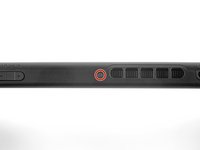
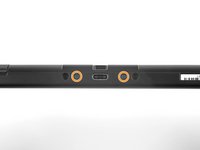


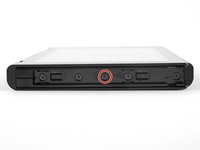
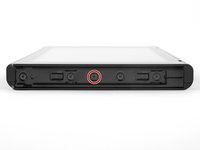


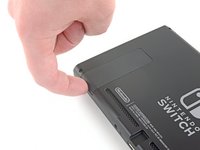


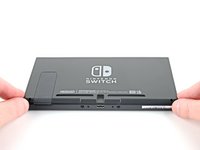
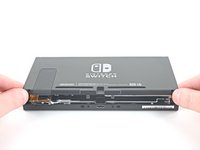
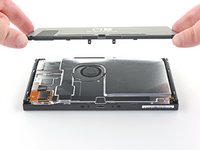


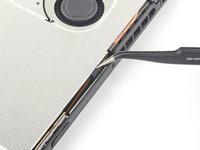
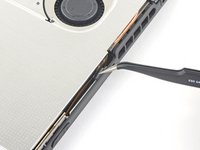


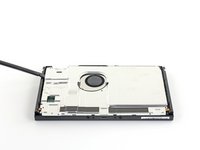
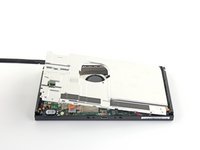
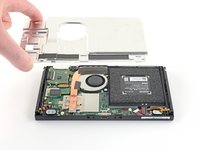


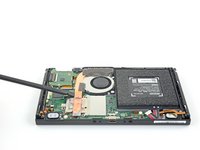
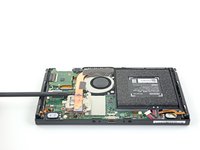
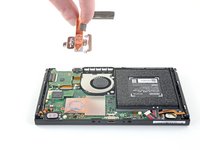
Сравните новую запасную часть с оригинальной. Перед установкой вам может потребоваться перенести оставшиеся компоненты или удалить защитные пленки с новой детали.
Чтобы собрать устройство, выполните инструкции в обратном порядке.
Сдайте электронные отходы в сертифицированный пункт переработки R2 или e-Stewards.
Ремонт пошел не по плану? Попробуйте базовую диагностику или обратитесь за помощью к нашему сообществу Answers по Nintendo Switch.
Отменить: Я не выполнил это руководство.
69 человек успешно провели ремонт по этому руководству.

10 Комментарии к руководству
I couldn’t even get past the first step because my screws were in so tight I made them threadbare trying to get them out. I did use the iFixit toolkit so I was using the right head but taking the screws out is not as easy as demonstrated lol
same mines are stripped
Same happened to me :( I was able to file down the screwdriver I was given and it worked on three of the screws before they’d stripped too much. The fourth screw I couldn’t remove so I was able to slightly bend and turn the backing enough to access the fan. I also wasn’t able to peel the tape back without it completely disintegrating. Haha guess I don’t have the magic touch.
Do you need the K5 thermal peas or is the Arctic silver 5 thermal paste enough?
You just need a good thermal paste
